Nooks Numbers User Guide
Last updated: September 30, 2026
Overview
Nooks Numbers is an add-on that helps users to easily get more mobile numbers for their contacts, improving coverage and increasing connects.
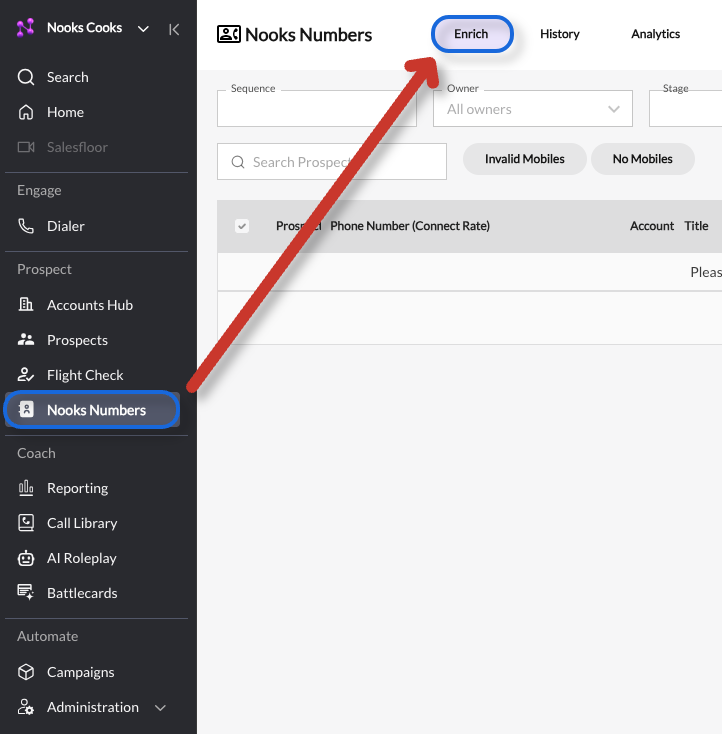
If your team already has access to Nooks Numbers or is currently on a trial, you can access the Nooks Numbers surface by going to the tab at the top of the screen.
If you'd like access to Nooks Numbers, ask your CSM or sign up here to start a free trial.
In order to use Nooks Numbers, you must be using one of the following SEPs.
Nooks AI Sequencing
Outreach
Salesloft
Hubspot
Apollo
Salesforce
Groove
Gong Engage
Finding Prospects to Enrich in Nooks
It is possible to enrich prospects by Sequence and directly in the Dialer itself. We'll cover how to enrich prospects by Sequence below.
Loading Prospects from a sequence
Within the Enrich tab for Nooks Numbers, you can select a sequence to view prospects within that sequence and select them for enrichment.
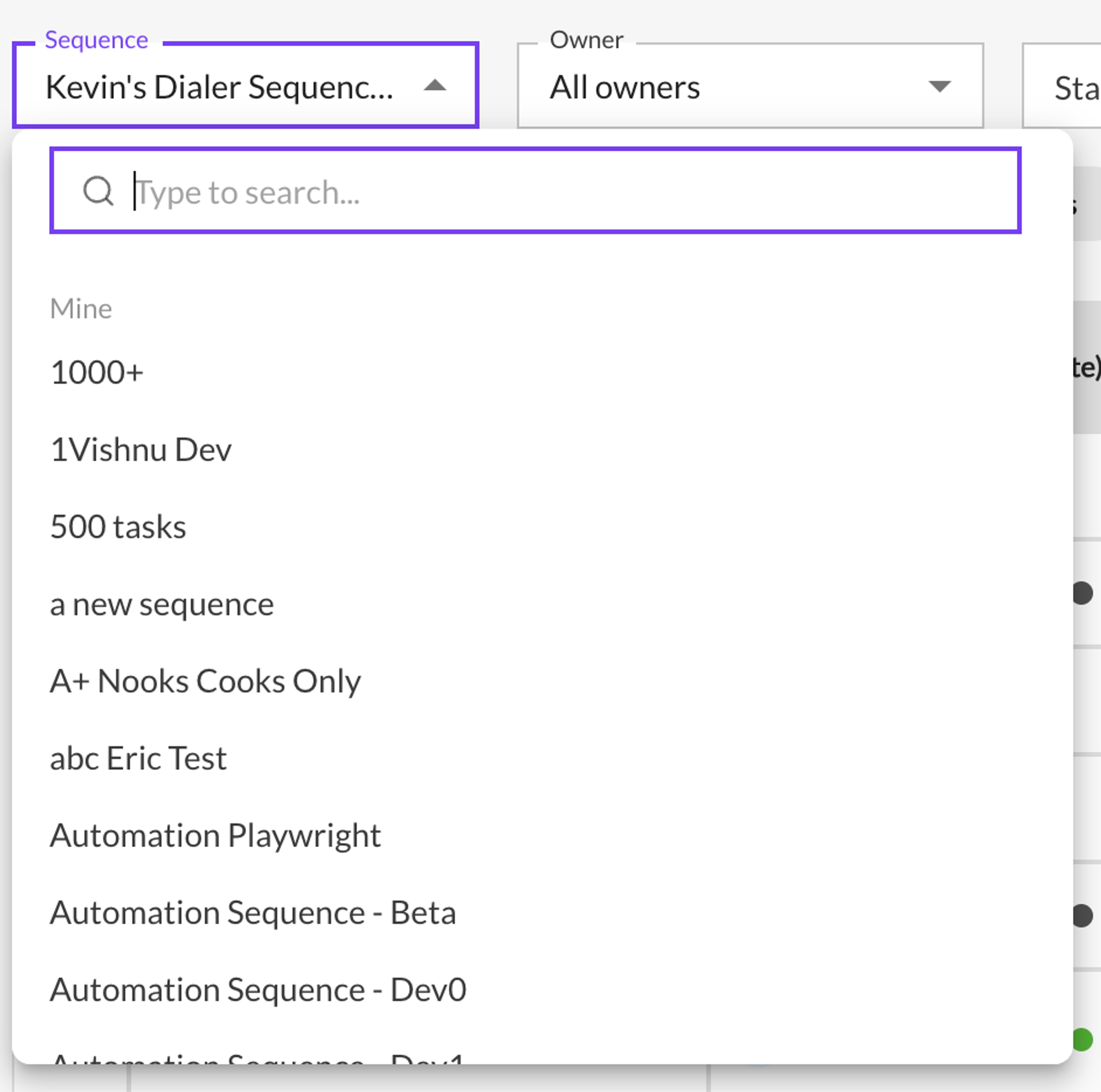
Selecting a sequence will load up to 1000 active prospects from that sequence. A prospect is considered active if they have any tasks that are due or upcoming.
Selecting Prospects to Enrich
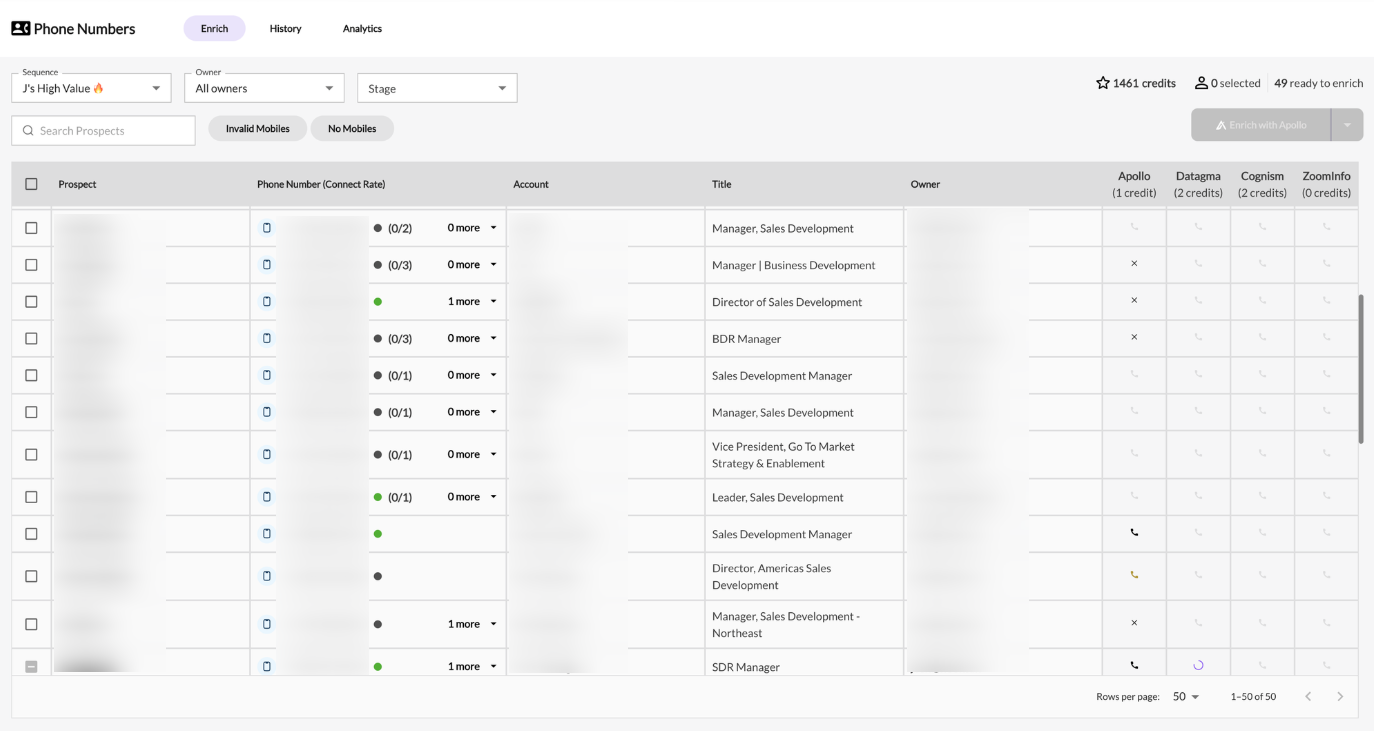
The following columns will be loaded for each
Prospect - Name with link to profile in respective SEP
Phone Number (Connect Rate)
Any phone numbers pulled from the SEP along with their statuses (if they have any)
Connect Rate (if available, in the form of Connects / Dials)
Account
Title
Owner - Prospect Owner
Enrichment Provider Columns (Apollo, Datagma, Cognism, ZoomInfo)
Credit cost for provider in header
Status of the enrichment for the provider
Not Enriched
Pending (loading spinner displayed)
📞 Enrichment Success (will display phone numbers from enrichment in tooltip)
❌ Enrichment Failure (will display failure reason in tooltip)
Filtering Prospects

Sequence Select: The sequence to pull prospects from
Owner Select: Filter by prospect owner
Stage Select: Filter by prospect stage (only supported for Outreach workspaces at the moment)
Prospect Search: Text search for prospect by name, title, or account
Invalid Mobiles Toggle:
If this is enabled, the table will filter to show prospects that have at least one mobile number, where all of their mobile numbers have an invalid status.
No Mobiles Toggle:
If this is enabled, the table will filter to show prospects that have no mobile numbers
Enriching Prospects

To start enriching, select one or more prospects from the table and select an enrichment provider to enrich with.
Currently supported enrichment providers are:
Apollo (only for existing Apollo customers once this setup has been completed)
Cognism
ContactOut
Datagma
Forager
LeadIQ (only for existing LeadIQ customers once this setup has been completed)
Lusha (only for existing Lusha customers once this setup has been completed)
People Data Labs
Prospeo
QuickEnrich
Wiza
Zoominfo (only for existing ZoomInfo customers once this setup has been completed)
Credits & Usage
Credits will only be used if both of the following conditions are true:
Nooks finds a mobile number for this prospect
This mobile number is new (it was not in the system previously)
Credits will be deducted from the balance when enrichment is initiated; they will be refunded after enrichment completes for all prospects where no new mobile numbers were found.
Enrichment Results Sync / writeback
Nooks can write newly enriched phone numbers back to supported CRM and SEP systems, but this must be configured in Enrichment Results Sync. This is separate from phone-field mapping used for dialing or displaying numbers inside Nooks: phone-field mapping reads numbers into Nooks, while Enrichment Results Sync sends newly enriched numbers from Nooks back to the connected system.
Supported writeback destinations include:
HubSpot
Salesforce
Outreach
Salesloft
Apollo SEP
For Salesforce-connected Groove workspaces, configure the Salesforce writeback settings.
How to configure enriched-number writeback
In Nooks, go to Settings → Nooks Enrichment / Nooks Numbers.
Under Data Providers, make sure the enrichment providers your team uses are connected or enabled.
If your team uses Waterfall enrichment, go to Manager Settings and confirm the provider order.
Open Enrichment Results Sync.
Expand the CRM or SEP destination you want to update.
For each enrichment provider your team uses, select the field where Nooks should write successful enrichment results.
If you use Waterfall, map every provider that could return the winning number.
Waterfall itself is not a writeback destination; Nooks writes back using the mapping for the provider that found the number.
Save the mapping.
Enrich a test prospect.
After enrichment completes, check the mapped field in the CRM or SEP.
Do not use CRM Settings → Dialer & Phone Fields for enrichment writeback. That area controls which CRM phone fields Nooks reads, displays, or dials from. Enrichment writeback is configured under Enrichment Results Sync.
Important behavior
Nooks writes back one enriched number per successful enrichment result.
If a provider has no mapped destination field, writeback is skipped for that provider.
Enrichment can still succeed in Nooks even when CRM or SEP writeback is not configured.
When enrichment finds a new callable number, the number appears in Nooks Dialer automatically. Re-queue or refresh the prospect list if the lead needs to be worked again.
Integration-specific notes
HubSpot: Writeback updates the mapped HubSpot contact property. It does not automatically update the default phone field unless that field is selected as the mapping. Company records that have valid phone numbers but no associated contact may need a contact created or associated before those numbers can be used for contact-based dialing and writeback.
Salesforce: Contact and Lead mappings are separate. If only one object type is mapped, numbers may write back for one record type but not the other.
Outreach, Salesloft, and Apollo SEP: Writeback uses the mapped SEP custom field for the provider that returned the enrichment result.
Apollo: Apollo can be both an enrichment provider and an SEP destination. These are configured separately.
ZoomInfo, Lusha, LeadIQ, Cognism, Datagma, and other enrichment providers: These are enrichment providers. If they are used in Waterfall or direct enrichment, each provider needs its own writeback mapping for the destination system.
Waterfall Enrichment
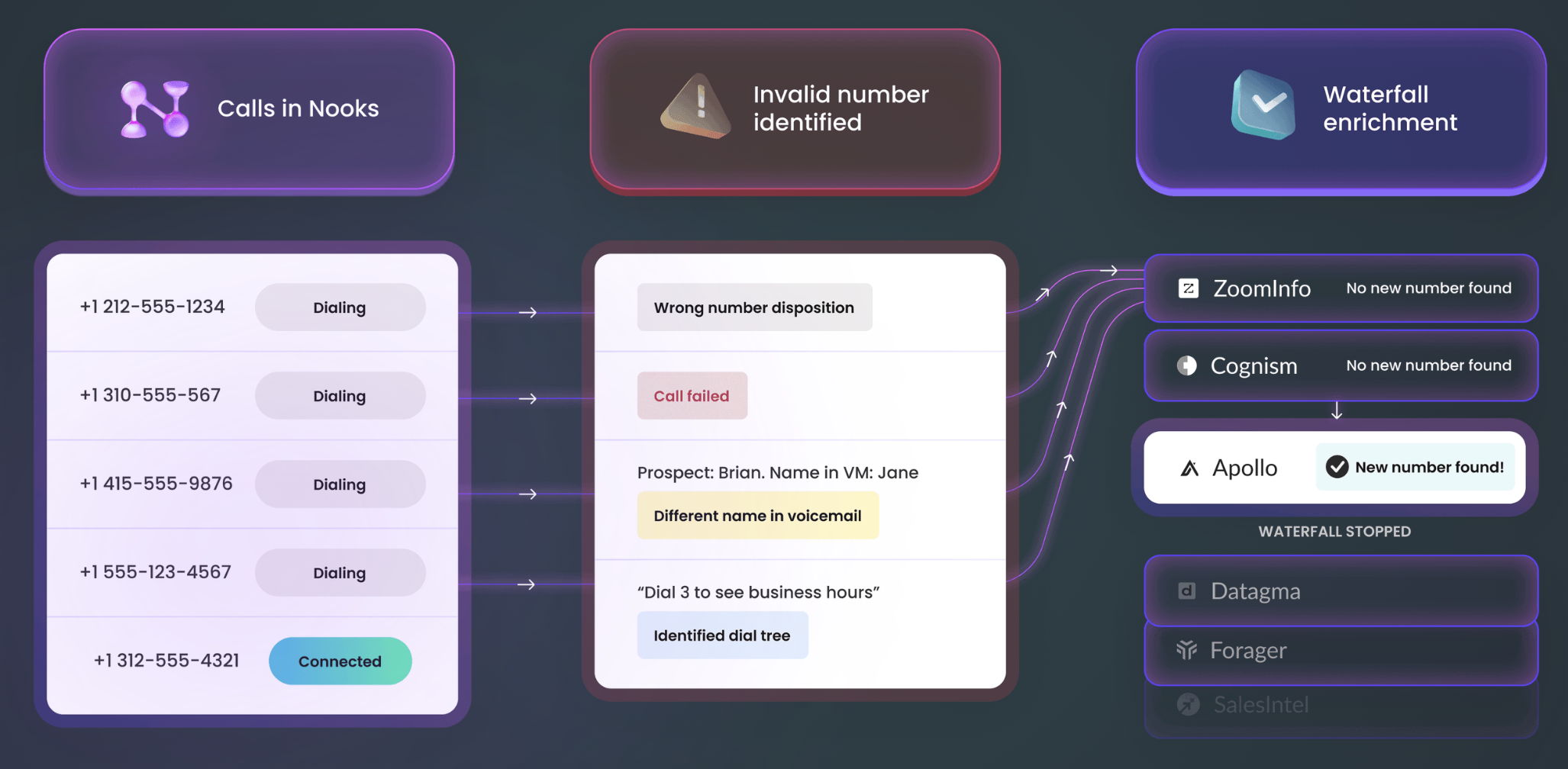
When you use a waterfall enrichment in Nooks, we attempt to find a mobile number by checking each provider in order, one at a time. As soon as a provider returns a valid mobile number, the waterfall stops and that number is used.
If no number is found, the system continues down the waterfall only if the next provider hasn’t already been used in a previous enrichment for that same lead. This helps avoid duplicate or unnecessary lookups.
For example: If a provider in the middle of the waterfall was used earlier and successfully returned a number, then later attempts to enrich with the full waterfall will stop at that same provider, since a number has already been found.
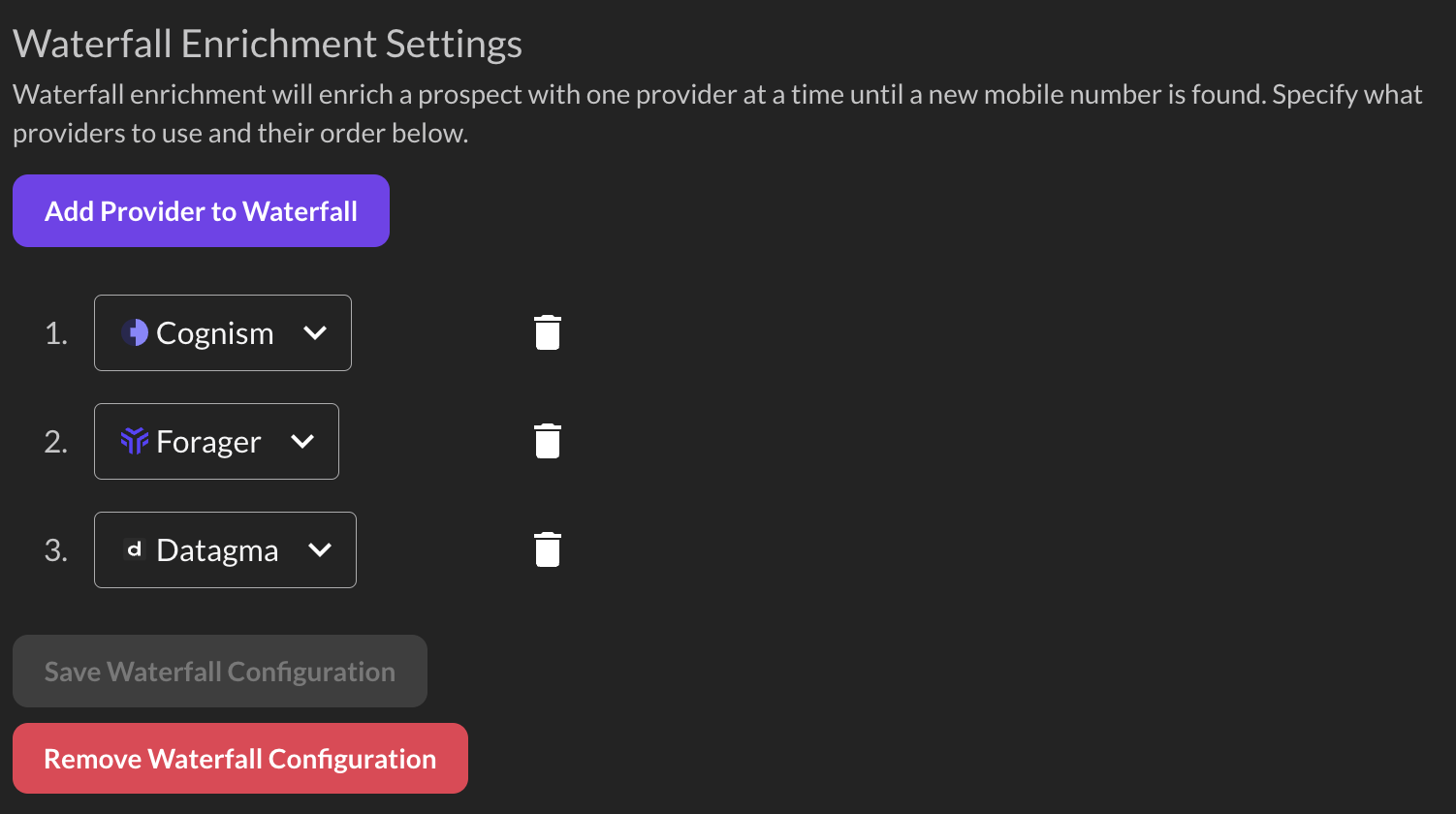
Waterfall enrichment is available to all Nooks Numbers customers. A waterfall tries your connected data providers one after another, in a set order, until it finds a number. When a waterfall is set up for your workspace, choose Waterfall when you enrich. Managers can set a different waterfall order for each team: in Settings, go to Nooks Enrichment > Manager Settings and turn on Enable team-specific waterfall configurations. To change your workspace's default waterfall order, contact your Nooks representative.
Automatic Enrichment
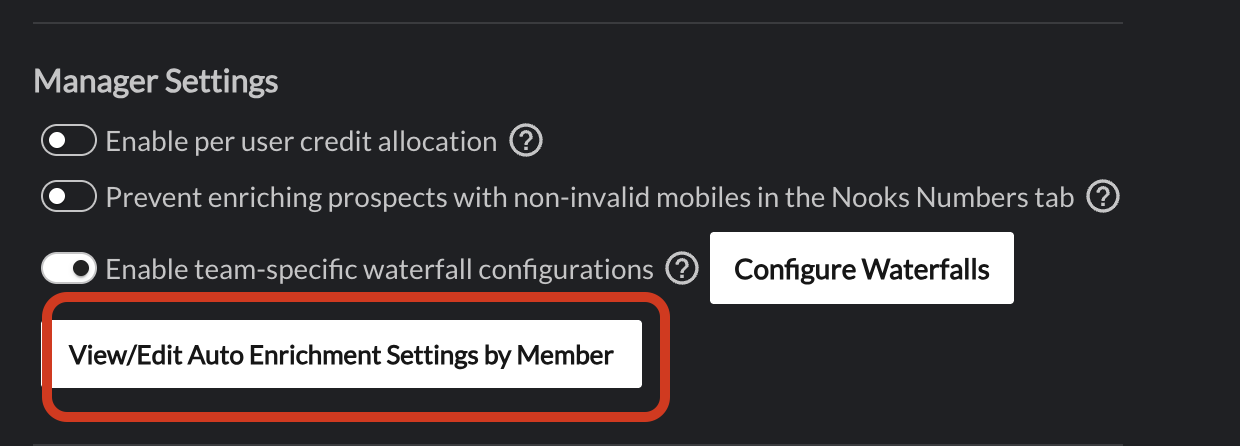
Nooks can automatically kick off your waterfall enrichment for prospects that reps have marked as "wrong number" based on your dialer mapping settings. Under the manager settings, managers and admins can either "select all" or select specific users for the autoenrichment to run. dialer mapping settings.
Dialing Enriched Numbers
If the enrichment process was able to find a phone number for the prospect successfully, the new number(s) should automatically be pulled in any dialer tasks for the prospect.
Any phone number from enrichment will have a lightning bolt icon next to the number (along with a tooltip indicating the source) and will always show up before phone numbers from the SEP.

Enriching from the Dialer
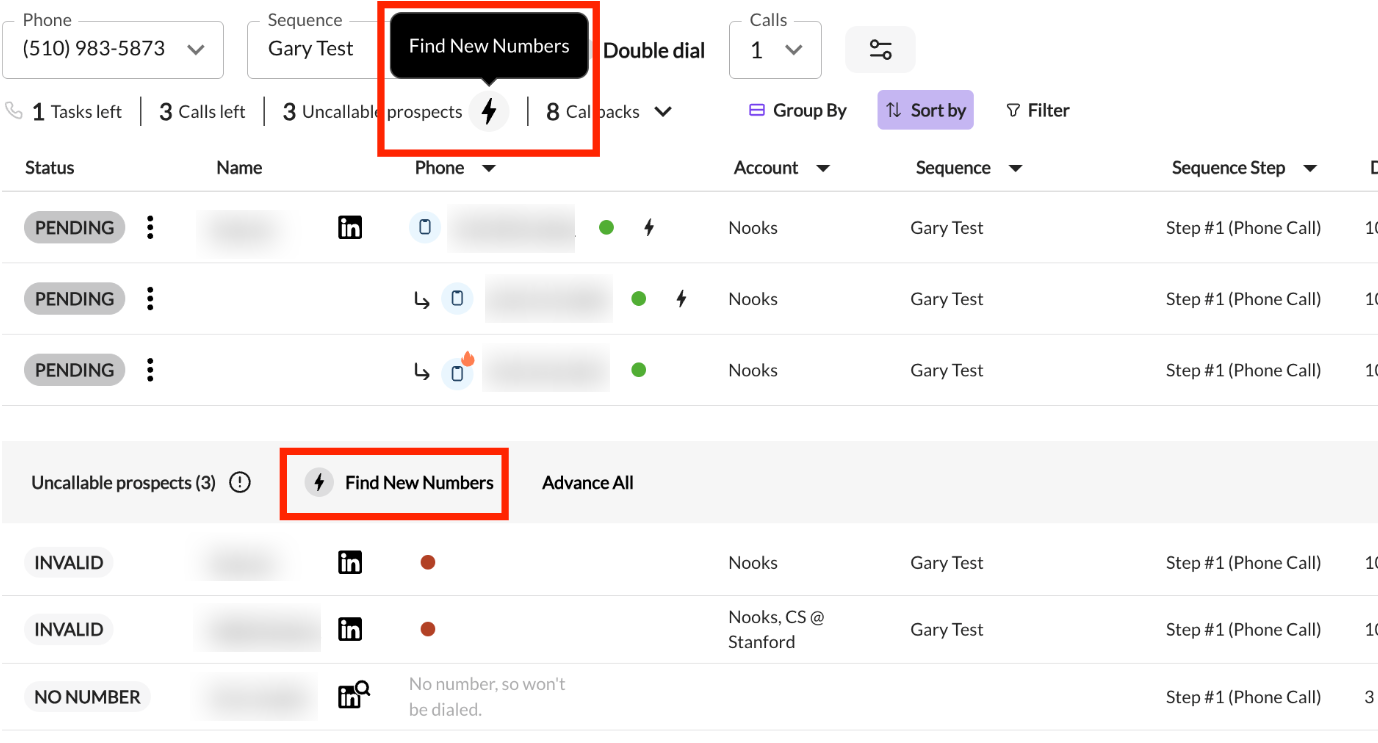
In the dialer, if there are any uncallable prospects, there are links to the phone numbers tab (set to the current selected sequence with “Invalid Mobiles” and “No Mobiles” filters selected).