Parallel Dialing: Explained
Last updated: September 24, 2026
This article covers Parallel dialing, the flagship feature of the Nooks platform, whereby you can call multiple prospects simultaneously and rely on an AI to detect the live pickups to boost the amount of activities you can complete and therefore the amount of prospects you speak with on a given day.
This article will be broken down into 2 sections:
How to parallel dial in Nooks
What to do if you're brand new to parallel dialing
How to Parallel Dial in Nooks
Nooks will start dialing your prospects when you click the purple “Start Calling” button on the upper right of your dialer UI:
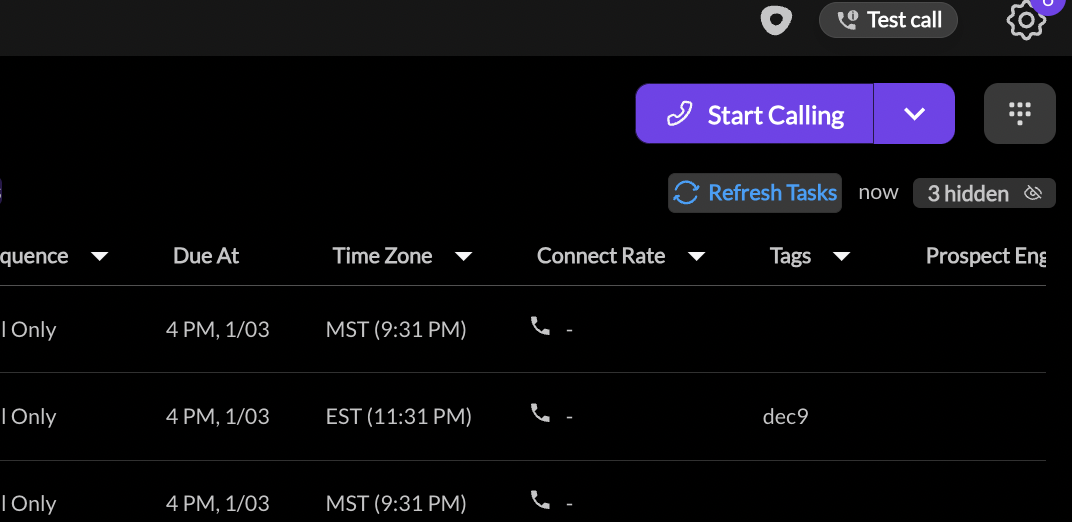
*Screenshot of purple "Start Calling" button (upper right)
Once you’ve clicked “Start Calling” you’ll see a purple “Dialing” icon to the left of your prospects’ name. If you have your dialer configured to more than 1 simultaneous dial, you will see multiple “Dialing” icons next to your prospects’ names.
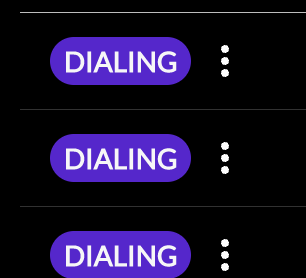
*Screenshot of Dialing icons (far left of your dialer task queue)
Once Nooks has begun dialing your prospects, there are two possible scenarios - either you connect with your prospect or they don't pick up. Click on the arrows for the two options below for a general guidance on what to do for each situation:
Situation 1: Prospect Doesn't Answer
What you need to do:
Nothing! If you've set a pre-recorded voicemail, Nooks leaves it for you when it detects the voicemail beep, and the call is logged with your workspace's Left Voicemail disposition. If no voicemail is set, or the voicemail couldn't be dropped (for example, no beep was detected before the call ended), Nooks logs the call with your workspace's No Answer disposition and keeps dialing. Your admin chooses which dispositions count as Left Voicemail and No Answer in your workspace's Dialer Mapping settings. When one line connects, Nooks hangs up the other lines. Those cancelled calls are not logged, don't count as dials, and stay in your list to be called later.
Situation 2: Prospect Answers
You’ll know this happens because three things happen:
You hear a short beep. Only you hear it; it plays in your browser, not on the call, so your prospect never hears it. You can turn it off with Play Beep when Connected to Prospect in Settings → Dialer → Preferences, but we recommend keeping it on while parallel dialing so you don’t miss connects.
The connected console appears.
A short transcript of your prospect’s first words shows next to their name, so you can pick up the conversation right away.
What you need to do:
1. Be ready to speak as soon as you hear the beep and see the connected console. If you need to end the connected call, click Hang Up. This pauses dialing; when you're ready to continue, click Start Calling again. If you want to end the current call and immediately move on to the next call in your queue, click Next Call.
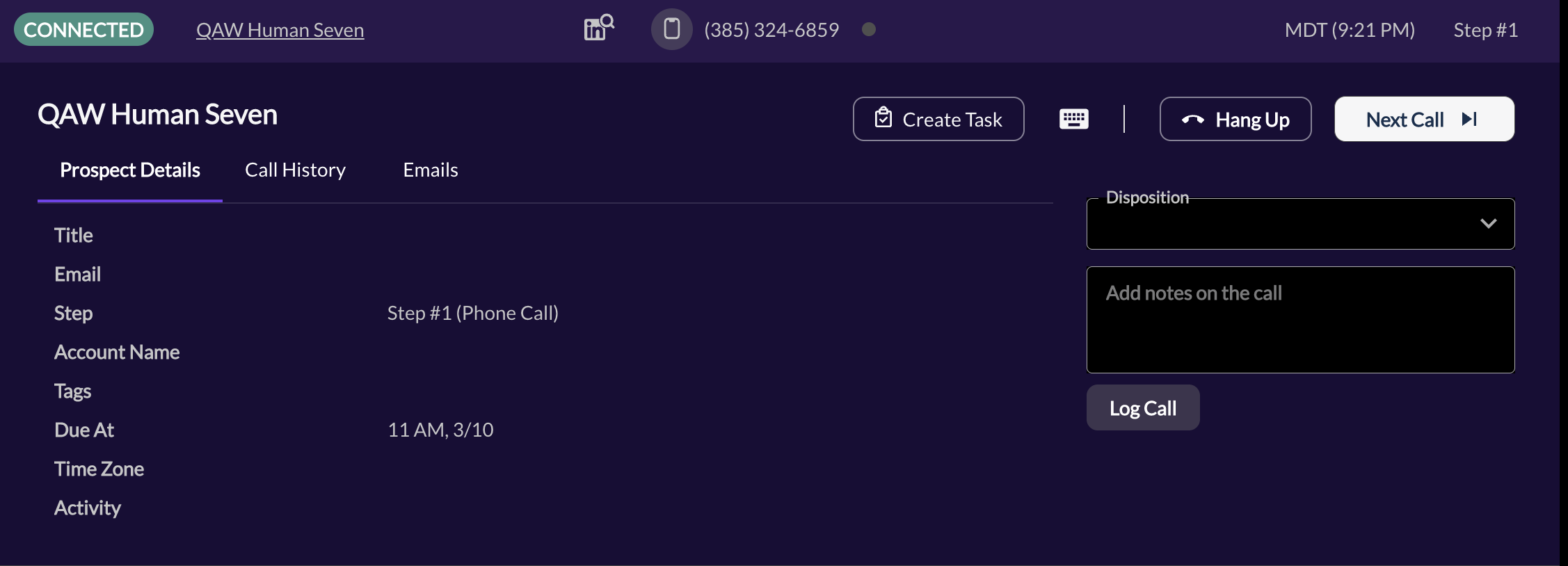
2. Enjoy your conversation with your prospect - good luck!
What to do if you're Brand new to Parallel Dialing
Parallel dialing is a significant change in workflow compared to traditional 1-by-1 dialing and can be intimidating for those that are new to it. We recommend taking the following steps to ensure that you are set up for success when making your first few dials with Nooks:
For your first few sessions, limit your dials to 1-2 prospects at a time. This will give you a chance to get to familiarize yourself with the Nooks Connect Console that appears when you get a connect to help you know exactly what to say to your prospect.
Leverage task grouping, filtering, and sorting. This will allow you to choose exactly which "batches" of your list you'd like to prioritize or de-prioritize. "Batches" can be prioritized based on all kinds of things such as:
Account Name
Sequence Step
Email Open History
Tags
Custom Fields
Use battlecards to create reminders of speaking points you are focusing on in your sequences.
As you get more comfortable with where your information lives, define your individual workflow, and master your cold-call introduction, you can toggle your parallel dialer to 5 dials at once. Parallel dialing 5 numbers at a time will dramatically increase your efficiency and is a goal to strive for.