Auto-Skip Answering Machines while Power Dialing!
Last updated: December 16, 2025
Overview
Power Dialing in Nooks is when you call 1 prospect at a time. It's different from Parallel Dialing because you'll get connected to a call from the very beginning. This means that you'll likely run across a lot of answering machines!
Nooks has released a feature called Power Dialer Auto-Skip that uses the Nooks AI to automatically detect answering machines and skip them for your convenience.
Answering Machines: Answering Machines are any pre-recorded message played by a prospect's side of the call. This includes voicemails, phone trees, and robots on the prospect's side.
Enabling Auto-Skip answering machines while Power Dialing
This setting can be toggled in the Dialer Preferences menu of your Nooks Settings, near a toggle that says Auto-Skip answering machines when using Power Dialer
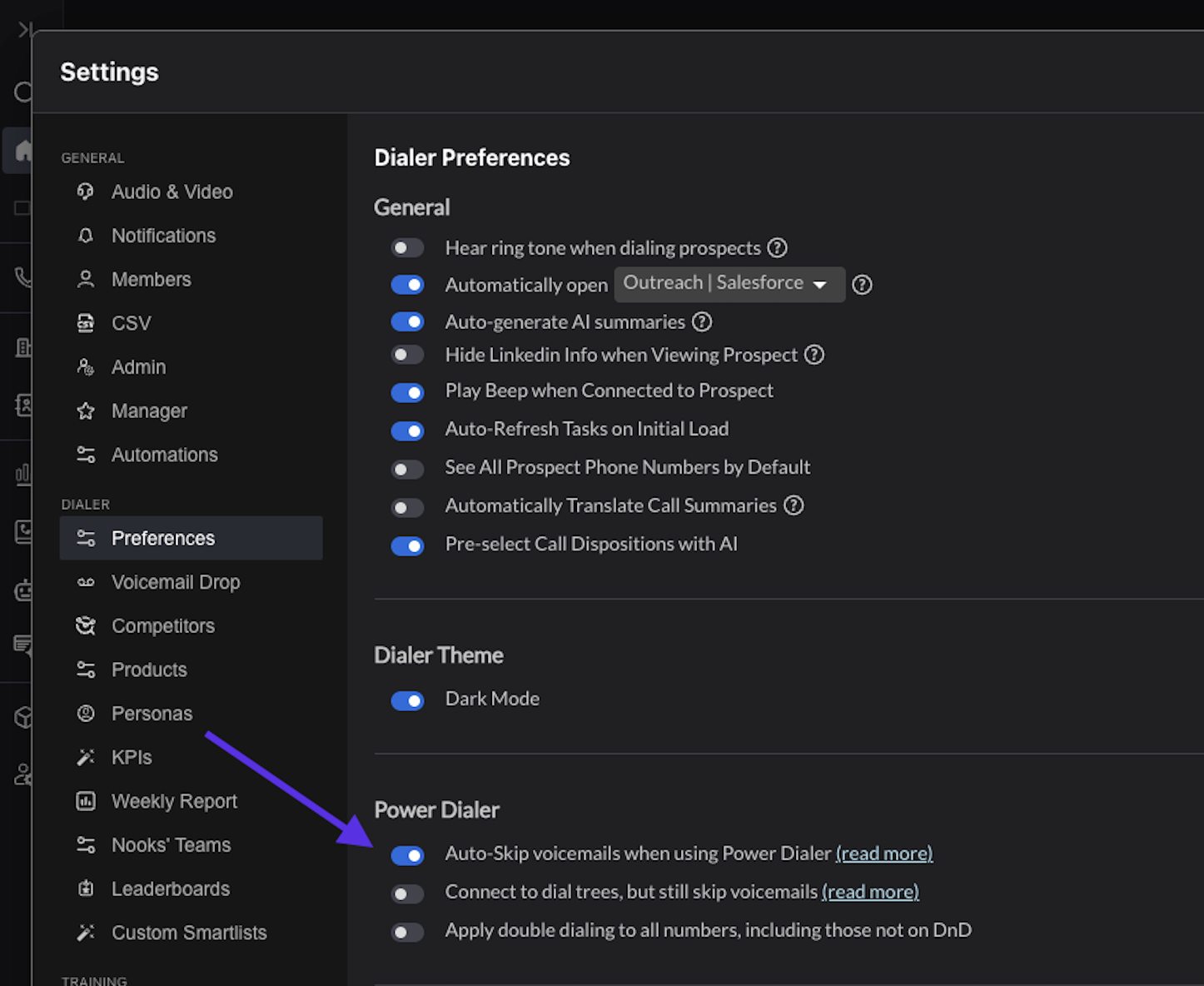
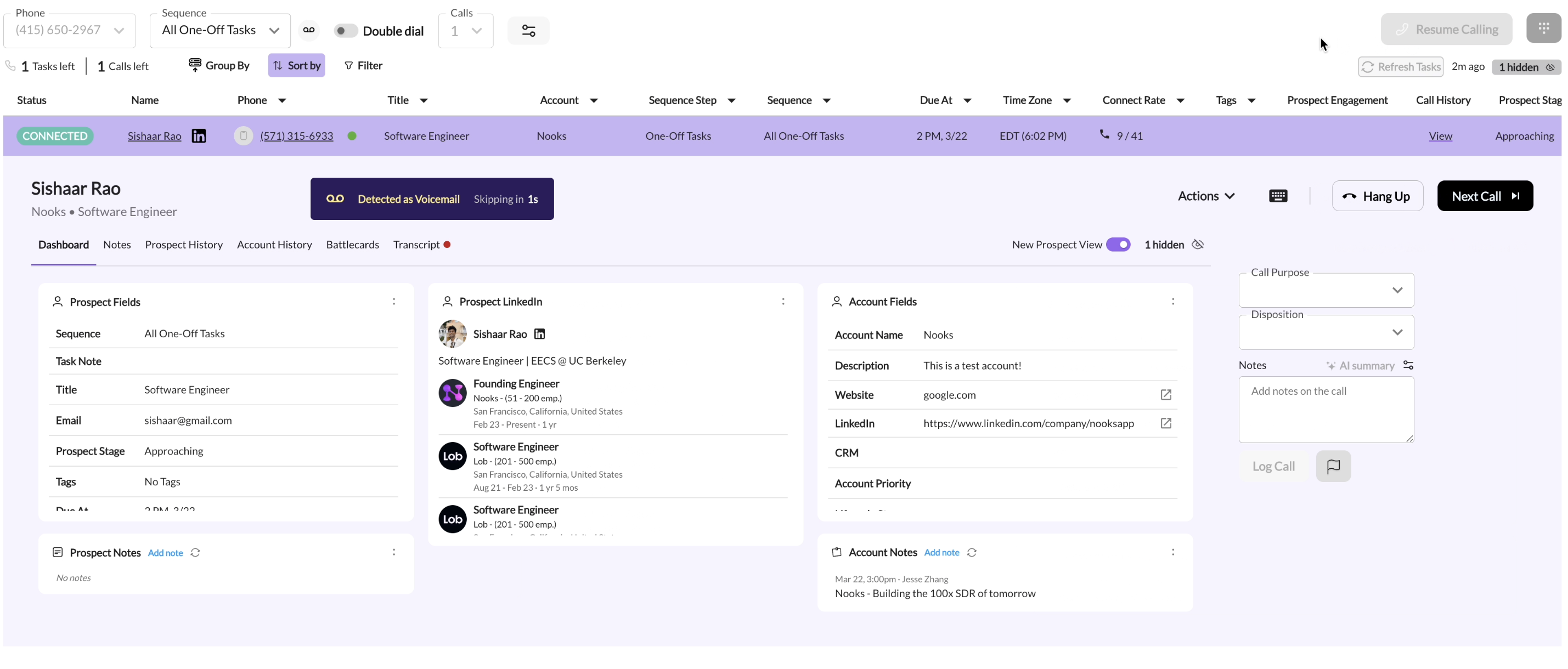
With this setting enabled, when you Power Dial and encounter an answering machine, you'll see a prompt on the right-hand side of your prospect view letting you know that an answering machine was detected, and the call will get auto-skipped.
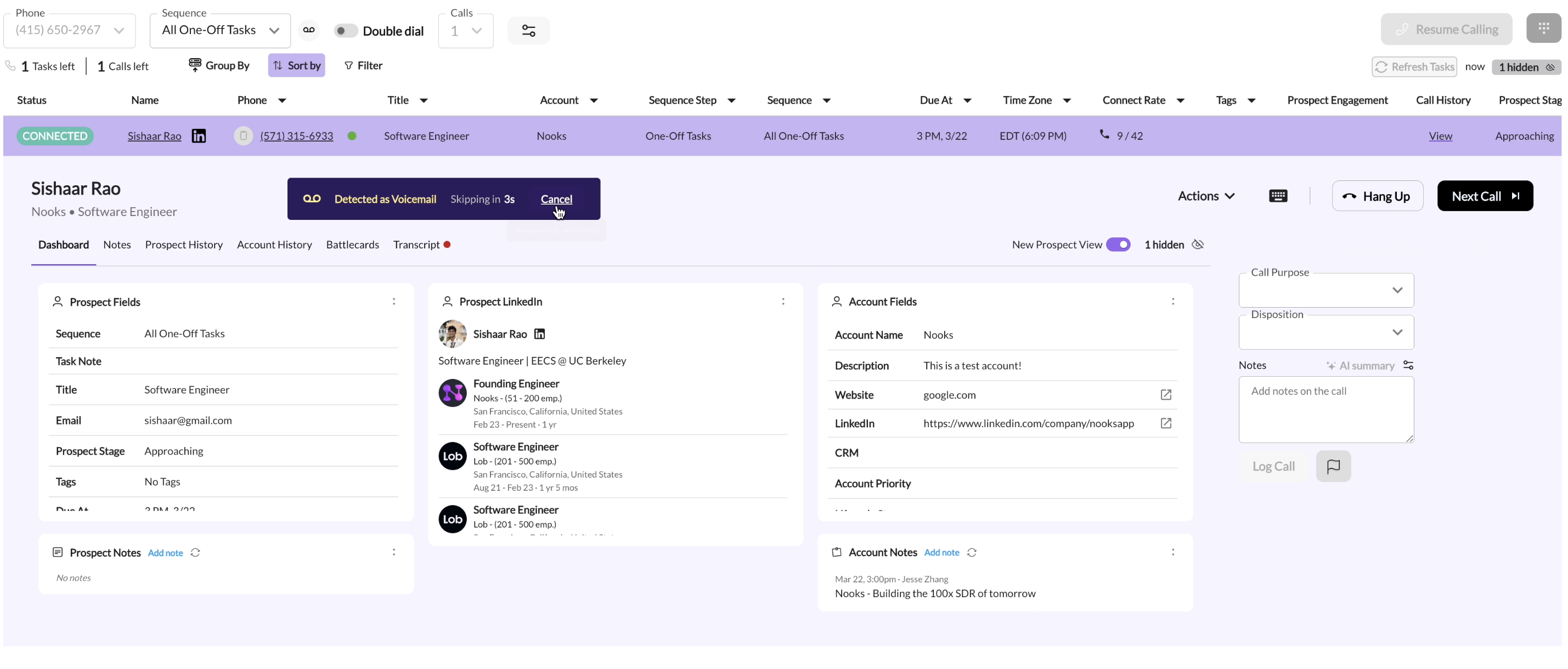
If you don't have the Auto-Skip voicemails instantly when using Power Dialer feature enabled, you'll have a 3 second grace period where you can cancel the auto-skip if you'd like. Furthermore, if you begin speaking to a prospect, Nooks will disable any auto-skipping behavior.
Here's an example of a call getting auto-skipped.
Here's an example where we cancel the auto-skipping of the call.
Navigating Phone Trees
As mentioned earlier, "Power-dialer auto-skip" currently skips all answering machines. If your workflow includes navigating through phone trees typically found at office lines, then this setting may currently skip these calls.
We added an extra configuration to address this workflow, called "Connect to dial trees, but still skip voicemails"
By enabling this toggle, voicemails will be skipped, but you'll stay on the line for phone trees. This is helpful if you need to dial an extension to get to the intended prospect or speak to an operator to get re-directed.