How to Dial with Poor Internet Connectivity
Last updated: December 17, 2025
We recommend using dial-in when you receive consistent network errors while in Nooks. This will route your calls through your cellphone instead of over your wifi.
Important note: the audio of your calls will come through your cellphone and not Nooks/your computer.
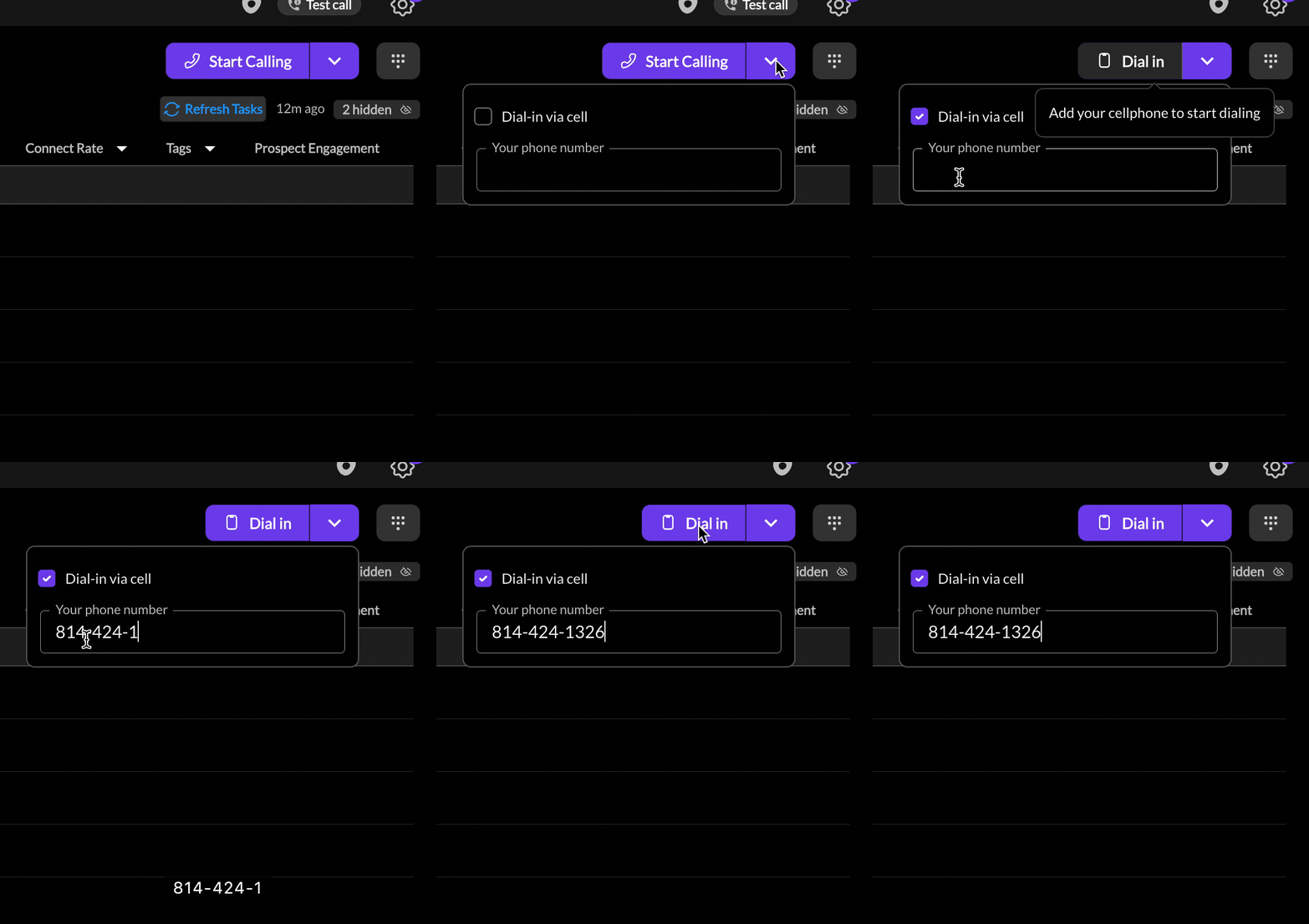
Open the Nooks Dialer
Click the arrow next to Start Dialing
Check mark Dial in via Phone
Enter your cellphone number in the phone number field
Click Start Dialing
Please contact your Nooks point of contact if you need help.