DNS Issues Affecting Nooks
Last updated: September 30, 2026
In scenarios when DNS settings are misconfigured or overly restrictive, your browser may fail to return the correct address for Nooks, which can impair Nooks functionality. DNS (Domain Name System) is essentially the internet’s address book, translating website names like nooks.in into numerical IP addresses your computer can actually reach. If pages in Nooks fail to load fully or certain features behave unexpectedly, your DNS configuration may be the cause.
This guide covers the two most common DNS-related issues, how to identify them, and how to resolve them to ensure you have the smoothest experience with Nooks.
Symptoms
The behaviors listed below are common indicators that your DNS settings may be impacting your Nooks experience.
Nooks Sequencing Pages Fail to Render
If your internet service provider is incorrectly resolving the Nooks domain, you may notice one or more of the following symptoms.
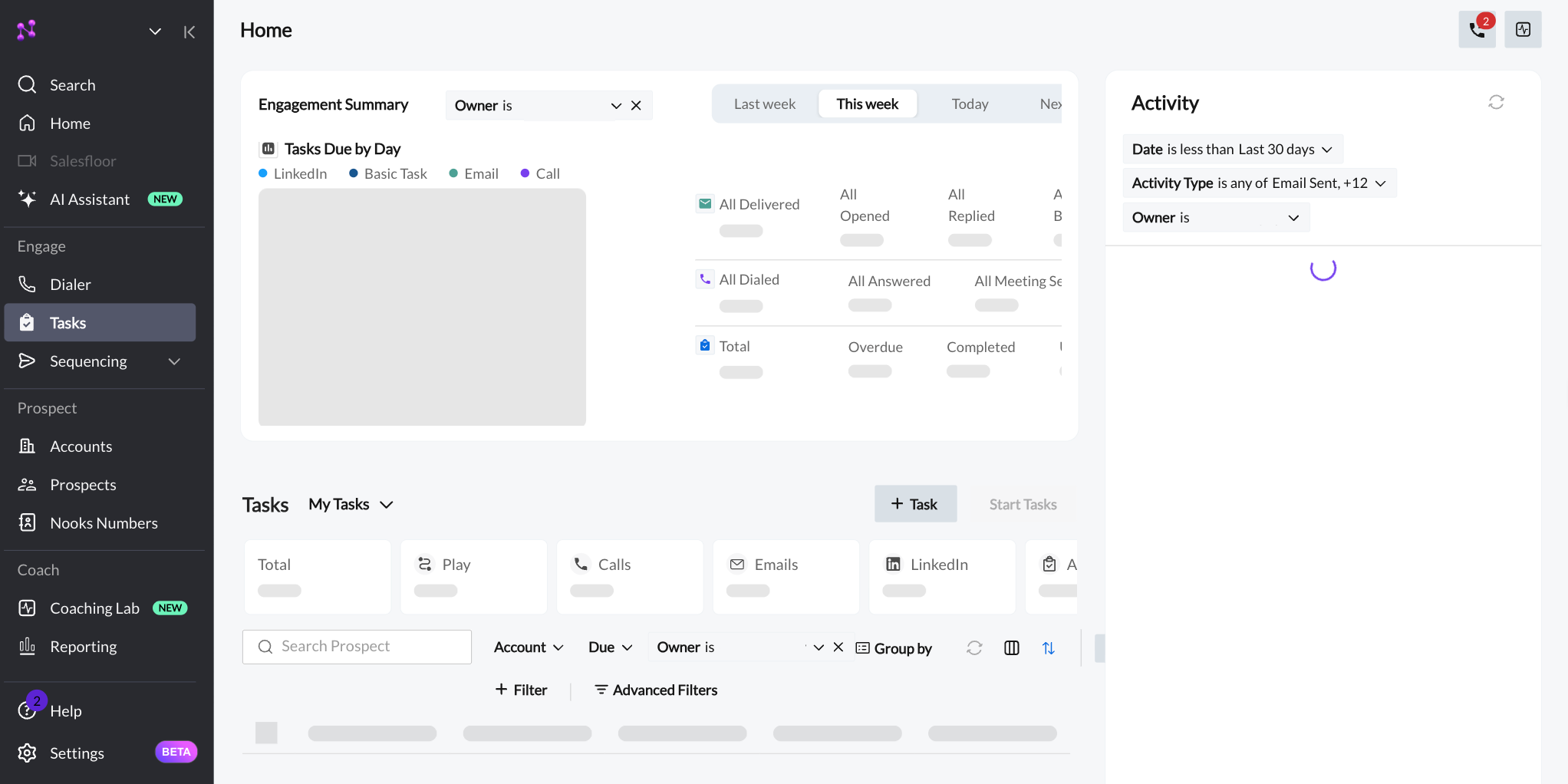
The Nooks Tasks page loads but remains empty. Data never appears in the Engagement Summary, tasks do not appear in the Tasks list, and the Activity Feed loads continuously.
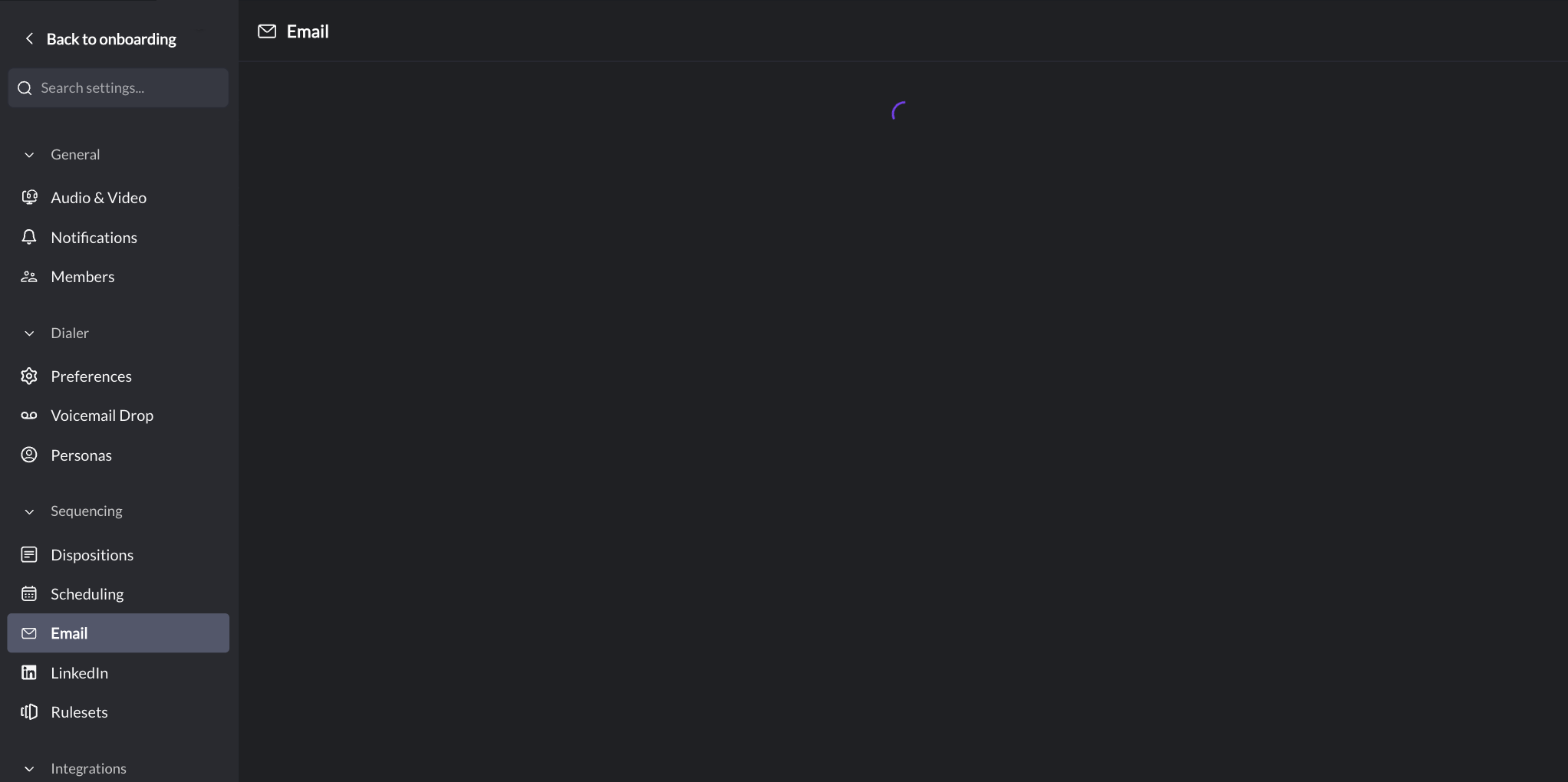
The “Email” tab of Nooks Settings never finishes loading. You are unable to access your Nooks email settings to connect your mailbox.
Other Nooks Sequencing pages may also fail to render. Pages such as LinkedIn Outbox, Sequences, Email Outbox may not load as well.
Salesfloor and Call Features Break
Nooks relies heavily on Google Firebase Realtime Database for real-time interactions. When DNS filtering blocks Firebase or other Google services, you may experience the following symptoms.
Salesfloor features fail. User video/avatars don’t appear, joining/leaving groups does not work, live calls are not visible, and/or audio exhibits degraded quality.
Call transcriptions fail. Real-time call transcriptions, which depend on Google Firebase Realtime Database, do not appear.
Performance is generally degraded. Dialing latency increases, prospect connection notifications are unreliable, and/or audio quality is poor.
Who Is Affected
This behavior impacts users whose DNS settings fail to correctly resolve or filter traffic required by Nooks. Colleagues at the same company on different networks may not experience the same behavior at all.
There are two distinct failure modes, both of which can be resolved by switching to Google Public DNS.
DNS misresolution occurs when an ISP's DNS servers return an incorrect or empty response for the Nooks domain, preventing pages from loading. Based on our support data as of June 2026, the providers we most frequently see associated with this behavior are those operating ASNs AS6128 (Cablevision/Optimum) and AS19108 (formerly Suddenlink, now branded Optimum). Other internet service providers may exhibit the same behavior.
DNS filtering occurs when a DNS resolver blocks requests to certain domains or services. Quad9 (9.9.9.9) is a common example of a filtering resolver; its filtering can prevent access to Firebase and other services Nooks depends on.
How to Update Your DNS to Optimize It for Nooks
Both causes can be resolved by switching to Google Public DNS (8.8.8.8 and 8.8.4.4), which ensures full compatibility with Nooks. There are two ways to do this.
Option 1: Change DNS Settings in Chrome
If the option is not restricted by your IT team, you can change your browser’s DNS settings. To do so, follow these steps:
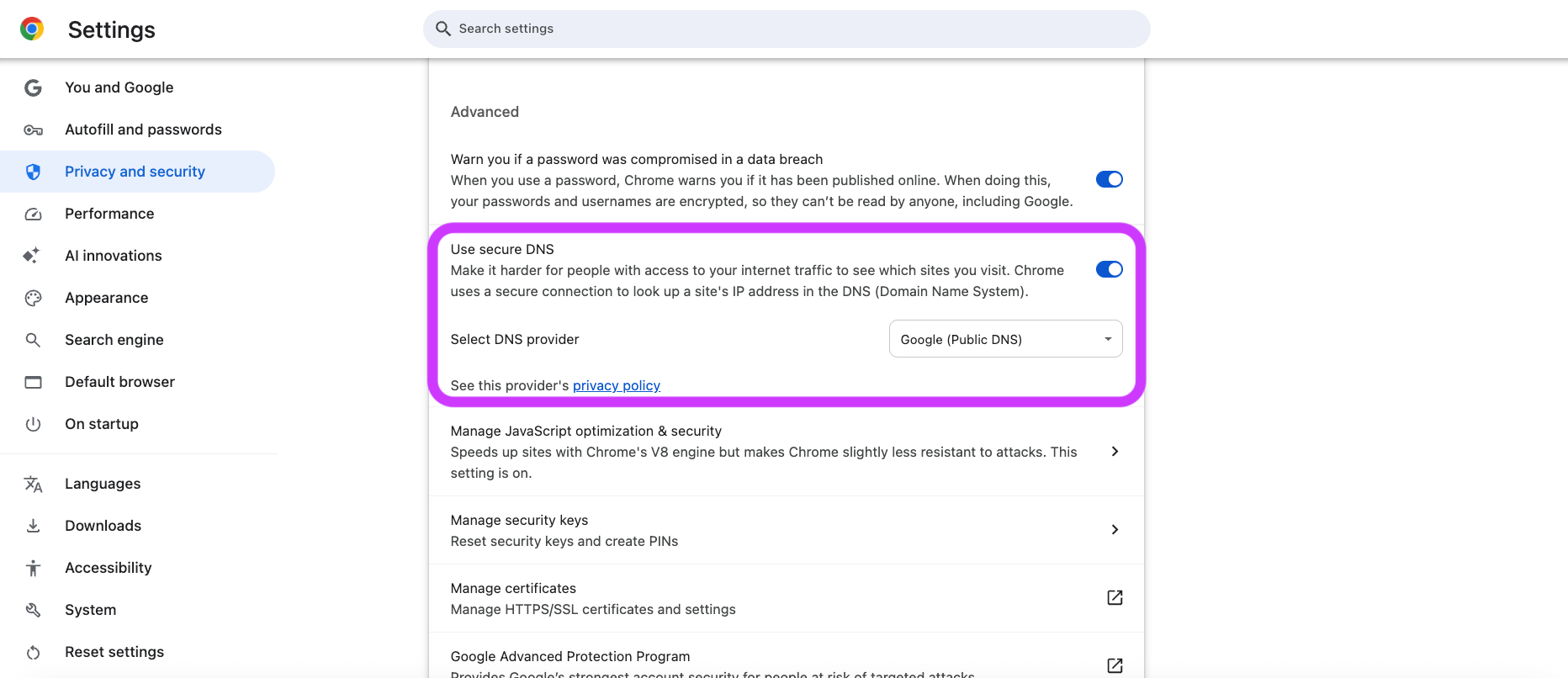
Copy-paste chrome://settings/security into your Chrome address bar.
Toggle on the Use secure DNS setting.
Select the Google (public DNS) provider.
Quit and re-open Chrome.
Try accessing Nooks Sequencing again.
This change only affects Chrome and does not change any settings on your network.
Option 2: Change DNS Settings on Your Wi-Fi Connection
Alternatively, change the DNS resolver for your entire network connection. You may need to loop in your IT team depending on your company’s device policies.
Follow the instructions for your operating system found in this guide.
Try accessing Nooks Sequencing again.
Video walkthrough of these steps for Mac users
Still Having Trouble?
If none of the options above resolve the behavior, please reach out to the Nooks support team and share the following details:
The name of your internet service provider
Full page screenshots of the behavior you are encountering
Outputs of any steps you try while troubleshooting