"You are disconnected from the dialer" message
Last updated: September 24, 2026
What the error means
While using the dialer, you might see a popup message like the one below that says “You are disconnected from the dialer”
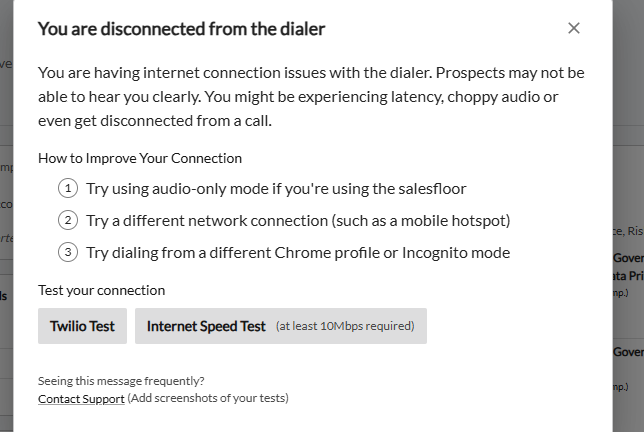
This error usually means either your internet connection quality isn’t sufficient for a smooth VoIP call in general or your internet is having trouble connecting to Twilio (Nooks’ VoIP service provider, the tool we use to power all our phone calls).
What to do when you see this message
If this dialer error is intermittent, you are usually safe to close it out and refresh Nooks. Even fast, robust internet connections can have momentary blips that can lead to this error (think of it like a dropped call!)
But if this error is happening more frequently it’s worth troubleshooting the internet connection!
Troubleshooting steps
The first thing to do is to check the general state of the internet connection with two diagnostic tests. These are also linked in the error message itself.
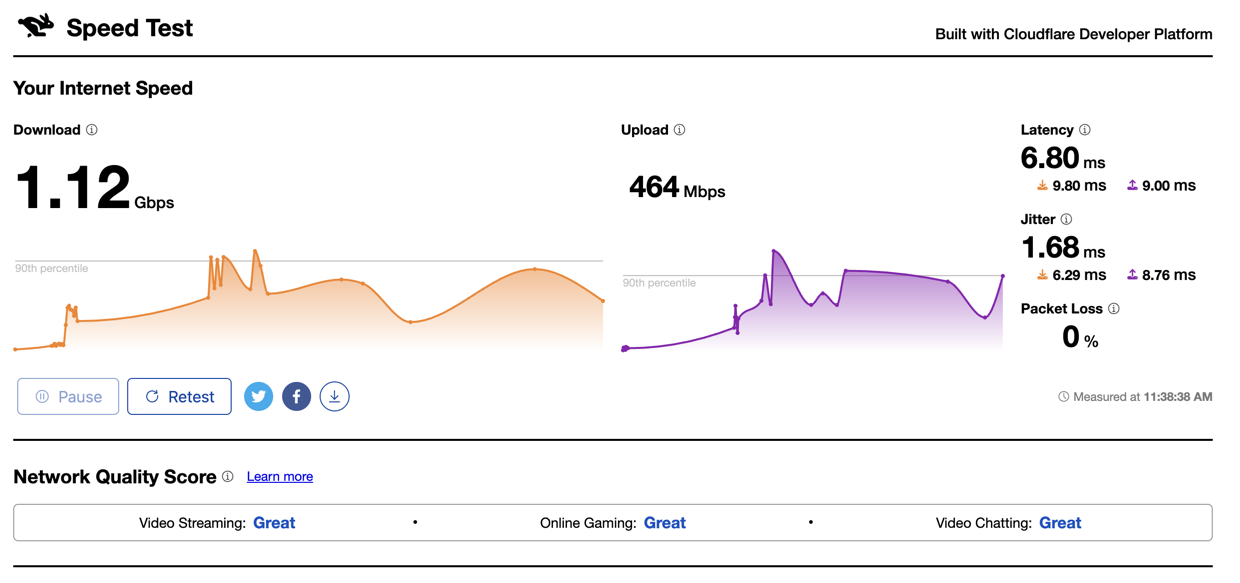
Check the quality of your internet connection via this link to run a speed test. Make sure to let the test finish measuring. Screenshot the results in case Nooks support team asks for them!
Ideally the internet speed test will have:
Download/Upload speeds of 50/50 Mbps (more info here)
Latency* under 200 ms
Jitter* under 30 ms
Packet* loss under 1%
(*Curious what those mean? Jitter measures the variability in the internet connection. Low jitter means the network has a stable speed, while high jitter means the internet is not a consistent speed. Latency measures how long the network is taking to reach its destination. And packet loss measures how much of the data makes it to the destination.)
Here is an example screenshot of good test results for the speed test:
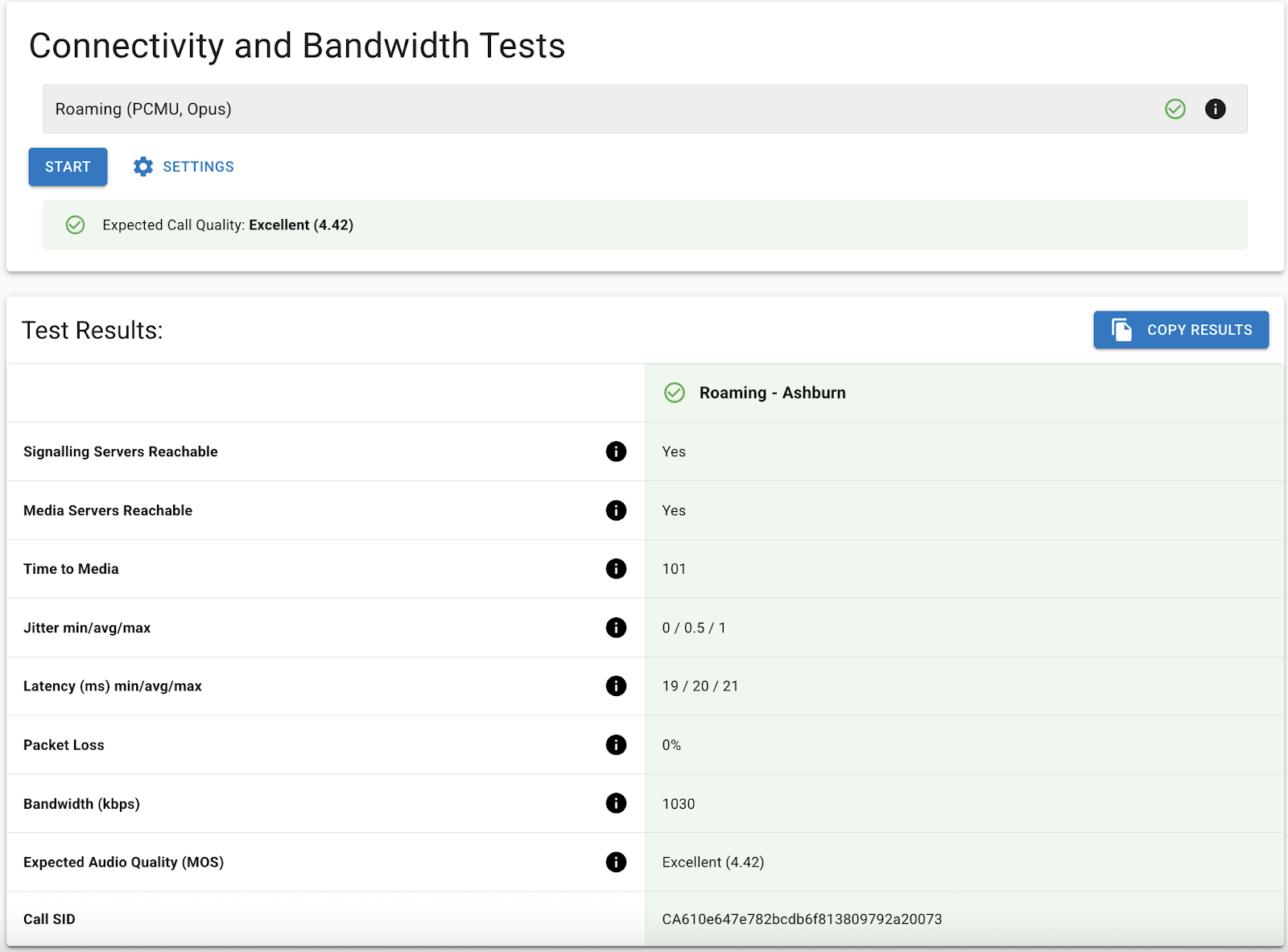
Check your network’s connectivity with Twilio via this link and run the ‘Connectivity and Bandwidth Tests.’ An Expected Call Quality below 3.5 would result in a problematic call experience. Again, screenshot the results in case Nooks support team asks for them!
Here is an example screenshot of good results for the Twilio connectivity and bandwidth test:
Next steps:
If the speed tests look okay, and the disconnected from dialer issue still is happening, please reach out to Nooks support team and share your two screenshots of your test results. Other information that is also helpful:
When did you first notice these “disconnected from dialer” messages?
Are you working from an office wifi network, a home wifi network, or something else?
If the speed tests do not pass, try to use a different wifi network (or a mobile hotspot) to see if that improves things.