Smartlists
Last updated: September 22, 2026
Calling prospects outside of scheduled tasks can be a powerful way to get more pickups and book more meetings. Nooks offers a number of Smartlists for surfacing intentful prospects to call when you've already cleared your sequences for the day.
Introduction to Smartlists
Smartlists are like Nooks-generated sequences and work in addition to the sequences in your SEP or CRM. They are available for selection in the same dropdown menu on the Nooks dialer where you choose your sequence/cadence/lists.
You can call prospects in a Smartlist without requiring them to have a due call task. Smartlists are available on Outreach, Salesloft, Salesforce, Hubspot and Apollo.
Nooks currently offers 3 Types of Smartlists
No Answer Smartlists - for connecting to prospects who didn't pick up in certain timeframes.
Re-engagement Smartlists - for reconnecting with prospects who asked for a follow-up.
Other Smartlists - for engaging with prospects, based on unique criteria.
1. No Answer Smartlists
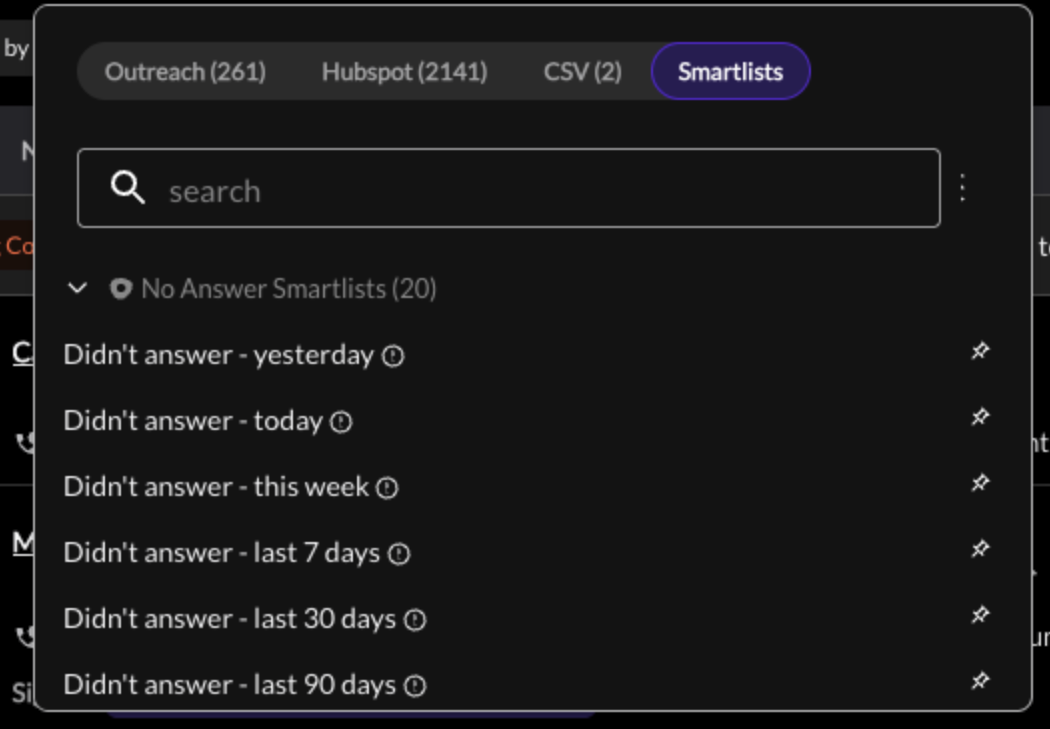
People you dialed today (once or multiple times) who you never connected with. You likely will not have call tasks with these prospects since they were just moved to the next step in your sequence, but you can still call them!
In summary, these show all active prospects you called in Nooks within the specified time:
Didn’t answer - yesterday
People who didn’t answer yesterday, excluding those you called today
Didn’t answer - today
People who didn’t answer the phone today
Didn’t answer - this week
People who didn’t answer the phone this week
Didn’t answer - last 7 days
People who didn’t answer in the last 7 days, excluding those you called today
Didn’t answer - last 30 days
People who didn’t answer in the last 30 days, excluding those you called today
Didn’t answer - last 90 days
People who didn’t answer in the last 90 days, excluding those you called today
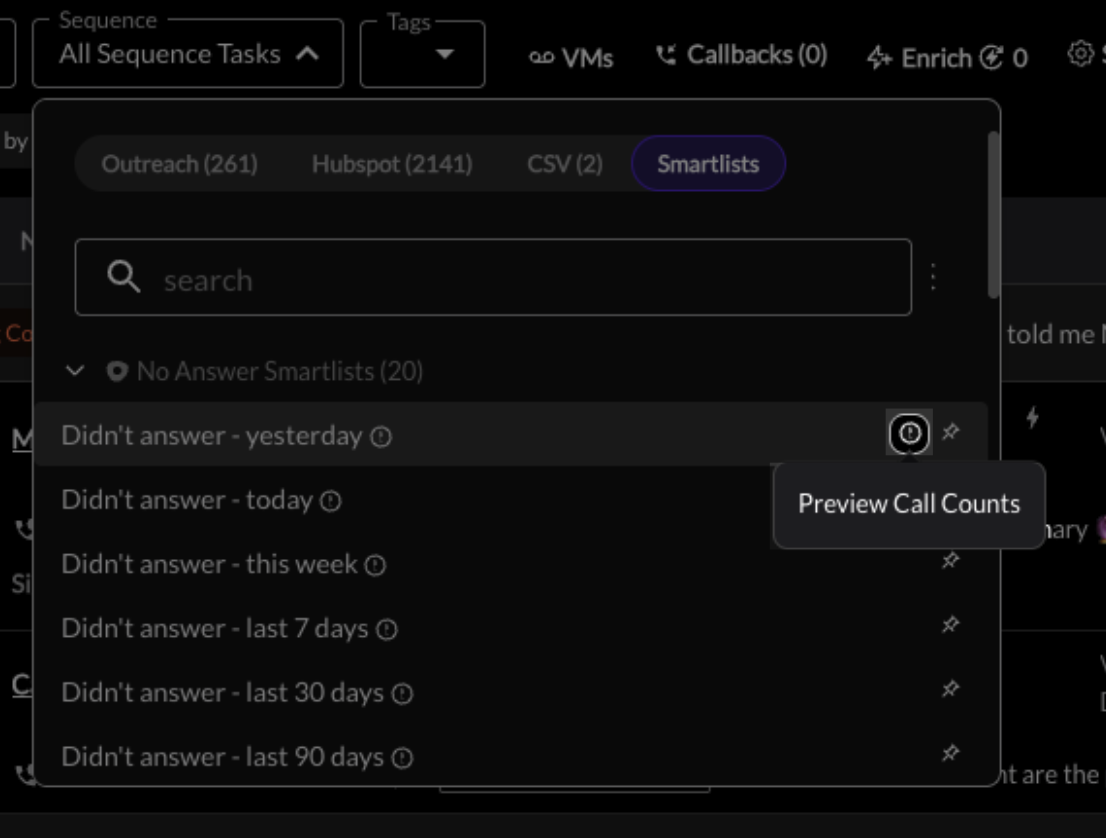
Fun Fact: You can look at your and your team’s expected Call Counts (Task count) if you hover over one of the No Answer Smartlists and click on the encircled “i” icon.
2. Re-engagement Smartlists
52% of all meetings come from a follow-up call. But less than 21% of reps actually follow up when asked to.
Now, you can mark a disposition for follow-up right in Nooks or your sales engagement platform. The contact will be automatically added to all Followup Smartlists. And Nooks will remind you when it’s the right time to reach out again.
You can even generate a calendar reminder!
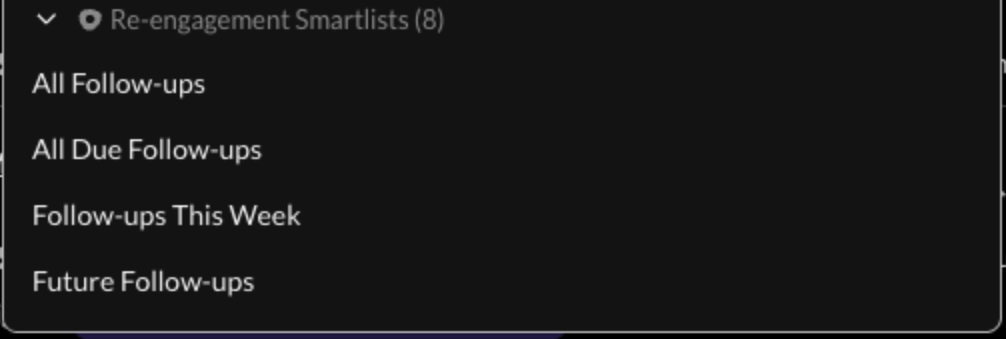
These show all prospects you called in Nooks over the last week who you dispositioned as a “Follow up” disposition (set by your Nooks admin under Settings > Automations*)
All Follow-ups - Loads all follow-ups
All Due Follow-ups - Doesn’t load today’s follow-ups
Follow-ups this Week - Loads follow-ups for the entire week, including Not Due tasks
Future Follow-ups - Only loads follow-ups that are not yet due
*You’ll need to configure your disposition mapping so that the “Follow-up” setting is mapped to a specific disposition from your SEP!
You can do this by following these steps:
Go to Nooks > Settings > Integrations (SEP/CRM) > Map relevant disposition to Follow-up setting.

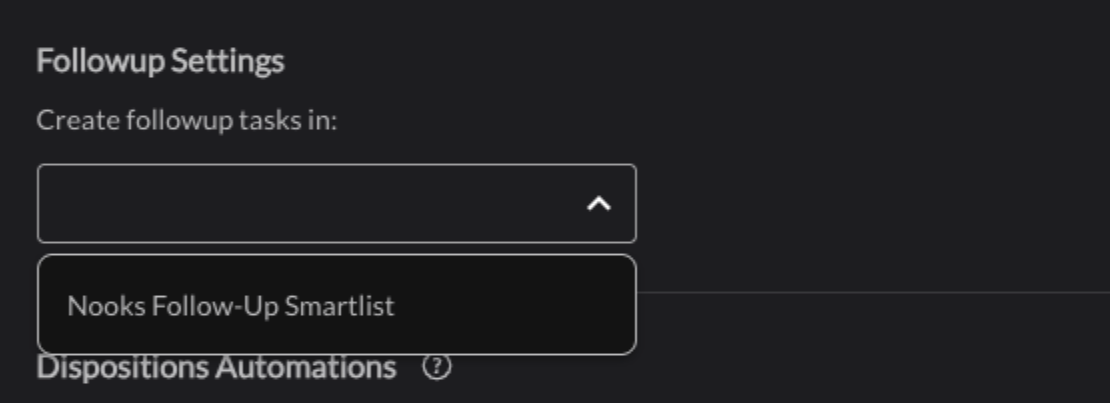
Go to Nooks > Gear icon > Settings > Automations > Followup Settings > Under “Create follow-up tasks in:” select “Nooks Follow-Up Smartlist.”
3. Other Smartlists
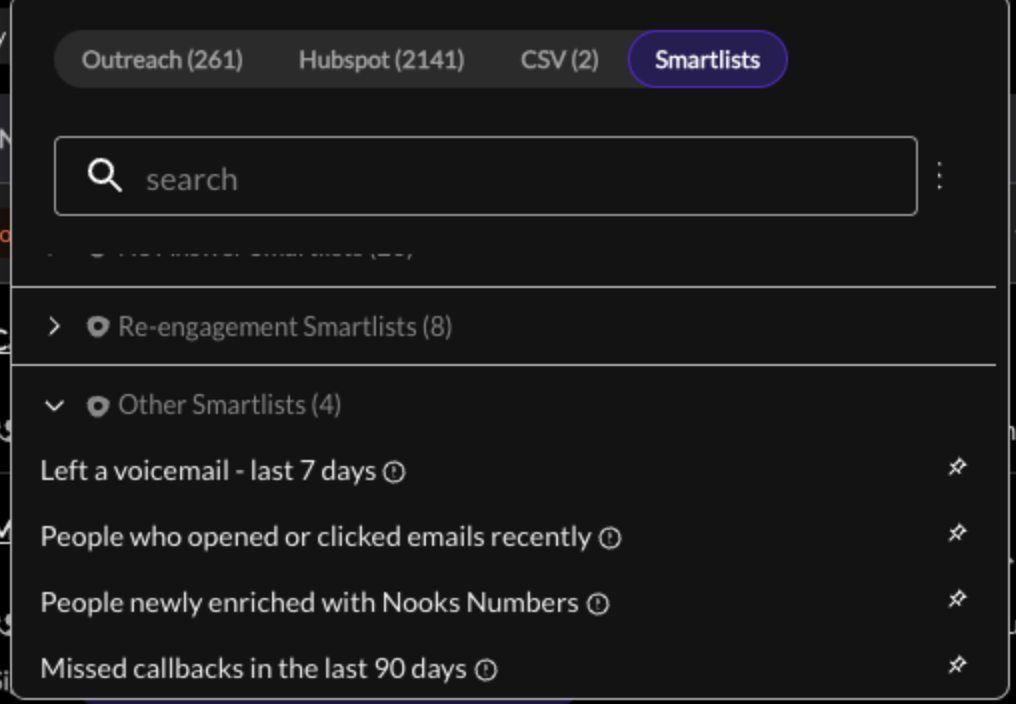
Left a voicemail - last 7 days
People who left a voicemail to, excluding those called todayPeople who opened or clicked emails recently
This shows all actively sequenced prospects who opened or clicked your emails at least twice (since your most recent touch point with them — prospect creation, connect, or email reply.) We check for two email opens, as most email systems will open everything once for spam/antivirus checks.⚠ This only works with Outreach and Salesloft integrations
People newly enriched with Nooks Numbers
People who have new numbers from enrichment in the past week that haven’t been dialed.
⚠ If the newly enriched number for the prospect has been called by the user within the past week, it will be excluded
⚠ Tasks associated with the Enriched Number have to be active in a sequence
Missed callbacks in the last 90 days
Any callbacks you may have missed in the last 90 days.
Smartlist Limitations:
Managers cannot use the “view as” feature with Smartlists
Apollo Smartlists can only load 100 tasks at a time
Whether prospects must be active in a sequence depends on the Smartlist and your integration:
Outreach, Salesloft and Apollo: the Didn't answer, Left a voicemail, email-engagement and People newly enriched with Nooks Numbers Smartlists only include prospects who are currently active in a sequence.
HubSpot: these Smartlists include contacts whether or not they are enrolled in a sequence. To exclude contacts who aren't enrolled, an admin can turn on In SmartLists, exclude contacts who are not currently enrolled in a HubSpot sequence. under Settings > Manager > General Dialer Settings. This setting is off by default.
Salesforce: Smartlists do not filter by sequence membership.
The Follow-up Smartlists (All Follow-ups, All Due Follow-ups, Follow-ups This Week, Future Follow-ups) and Missed callbacks in the last 90 days include prospects whether or not they are in a sequence.
Custom Smartlists: use the Only Prospects Active in a Sequence toggle when you create or edit the list. It is on by default and isn't available for Salesforce.
Calls to prospects from Smartlists will not advance or complete existing sequence tasks, similar to the one-off dialer. Automations might be available in your SEP or CRM to change this behavior (for example, check out our help guide on automating this with Outreach)