Contact, Account & Opportunity Fields
Last updated: September 24, 2026
Overview
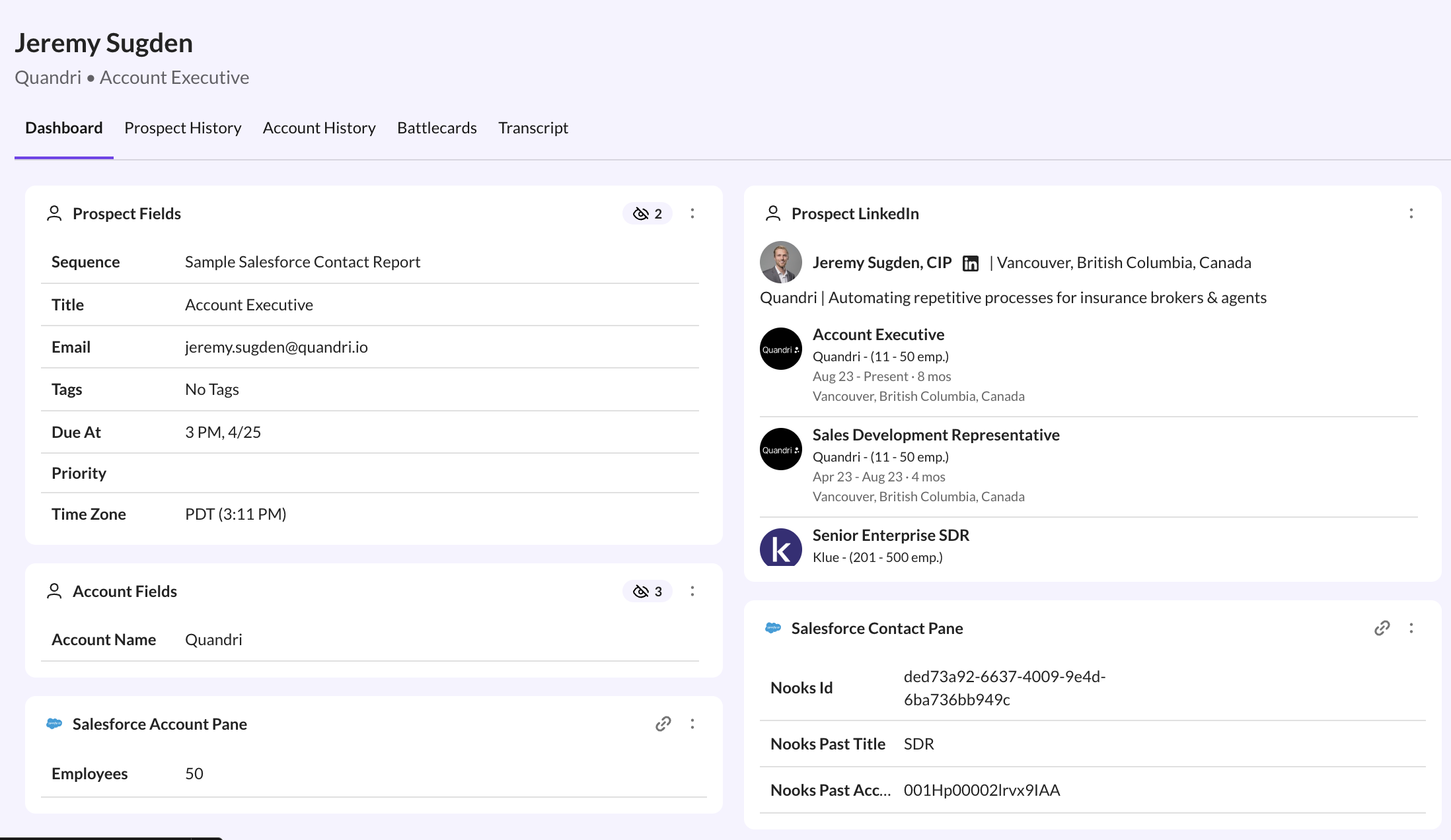
If you've connected your Salesforce to Nooks, you can see standard and custom fields from Contact, Account and Opportunity objects in the Prospect Cards as you dial.
Users must have already individually connected to SFDC for this feature to be enabled.
Setup
Contact, Account and Opportunity Fields must be configured by a Nooks Manager.
You can see who the managers are by clicking Settings >> Members. If no managers have been set, please alert your AE or CSM who will fix this immediately.
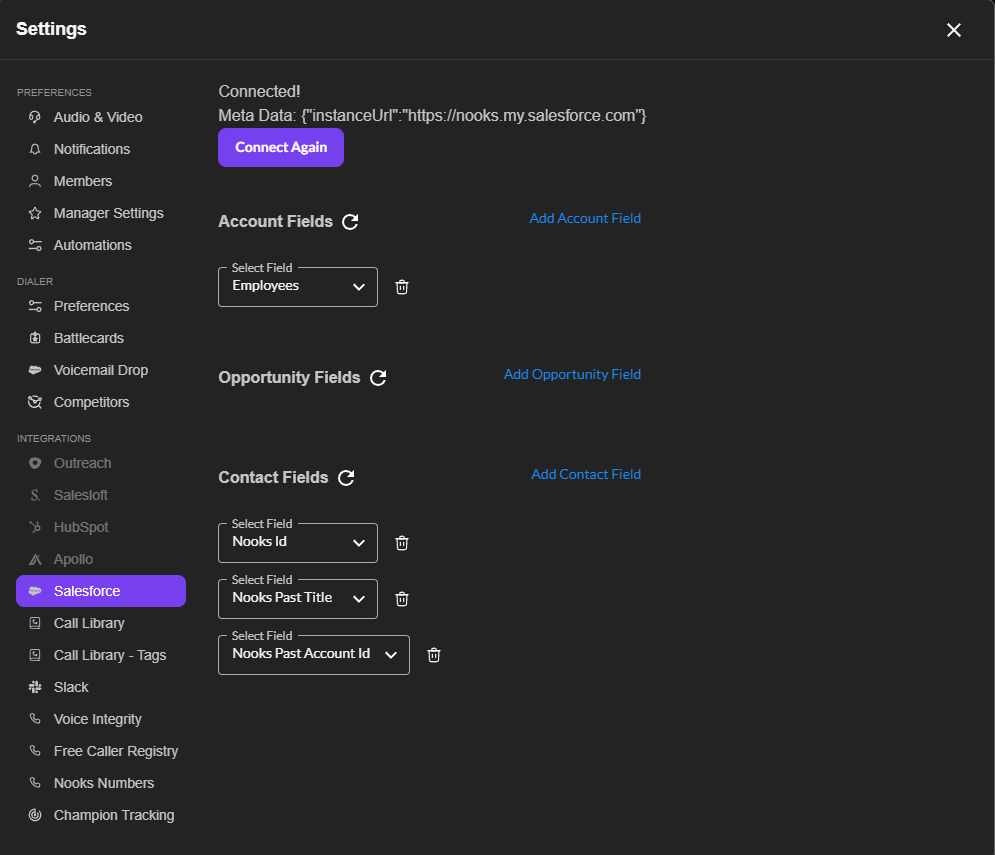
After Salesforce has been connected, managers can navigate to the Salesforce pane, where they'll be able to configure which fields they'd like to have visible.
If the Add Account Field text appears grayed out and unclickable, click the Refresh icon next to Account Fields and it should become blue.
ID Matching
Nooks will use the SFDC identifiers from your SEP to link prospects to Contacts, Accounts and Opportunities.
Only the fields from the most recent opportunity (by date modified) will be shown.
Limitations
These Salesforce fields appear for any call task Nooks can match to a Salesforce Contact, Lead, or Account. They show when you dial from:
Selected sequences
All sequence tasks / one-off tasks
Smart Lists
Salesforce reports and list views
The one-off dialer
They don't appear when you dial from a CSV upload, because CSV prospects aren't linked to Salesforce records.