Create a One-Off Task in Nooks
Last updated: December 16, 2025
Creating a one off task for a recently completed call is currently supported for SalesLoft, and Outreach. Below are steps to complete this below:
**Note that UI may differ slightly between Outreach and Salesloft
Hang up your connected call
Click on Actions
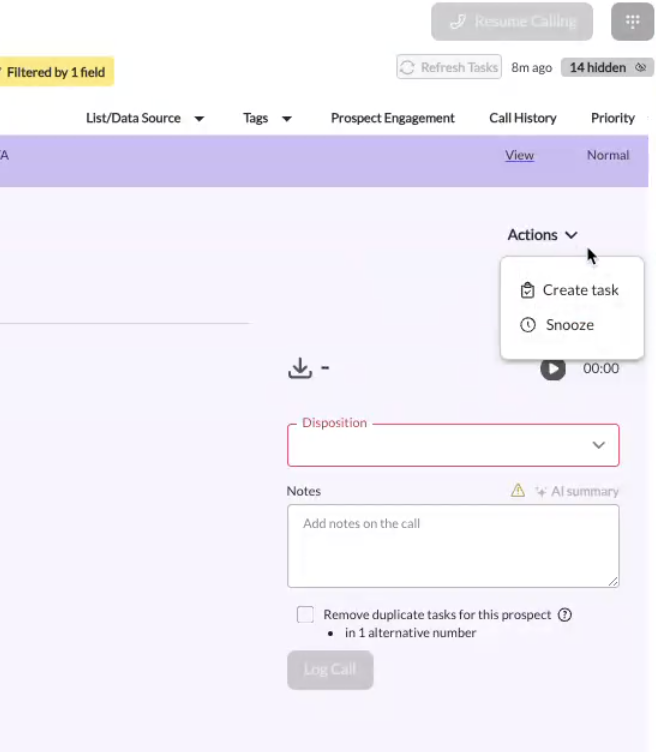
Click on Create Task
Create your task as needed. This will be sent to Outreach as expected.
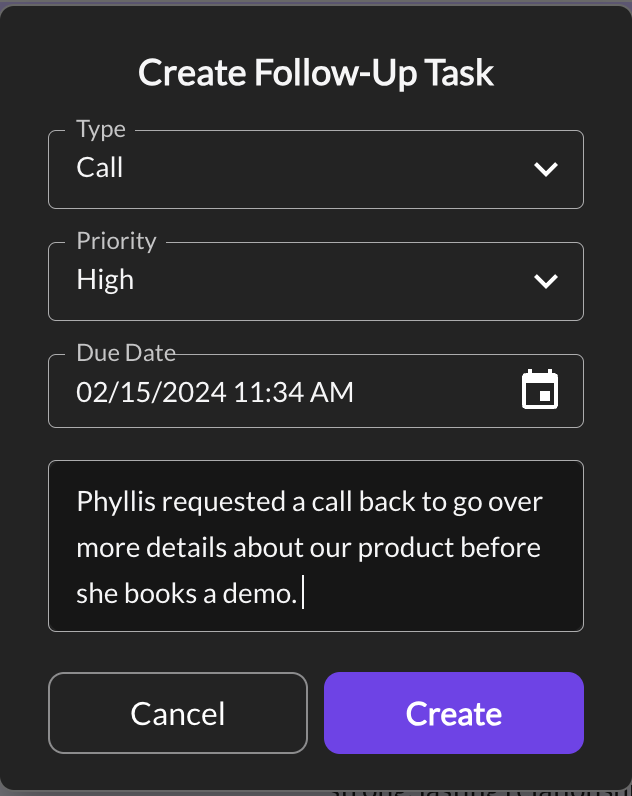
All created Phone Tasks will be listed as one-off tasks once their due date has been reached.