Recording Calls on Nooks
Last updated: December 17, 2025
Nooks can automatically record calls so that they can be reviewed or analyzed at a later date. These settings are available to Workspace Admins, and apply to all members within the workspace.
Recording Settings also controls transcription!
There will be no live transcription or stored transcription where recording is disabled for compliance purposes.
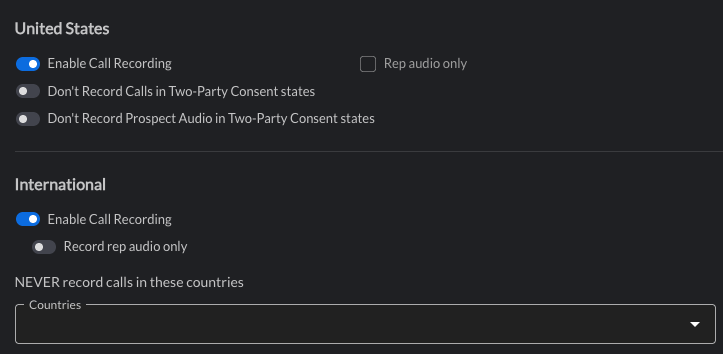
Settings explained
United States
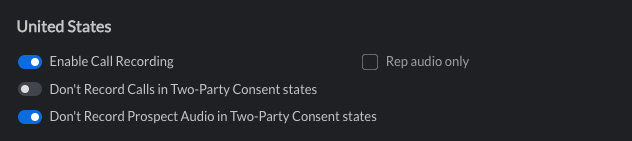
Enable Call Recording
This setting will turn on the recording functionality for all calls without any location restrictions.
When toggled off, there will be no live transcription for reps or prospects, and there will be no transcript of the call.
Rep audio only
This setting only allows the Rep's audio to be recorded.
Toggling this setting on will have these implications:
AI Summaries will not generate.
Scorecards will not work out-of-the-box. (reach out to your CSM to discuss options)
Only the Rep's audio will be transcribed.
Don't Record Calls in Two-Party Consent states
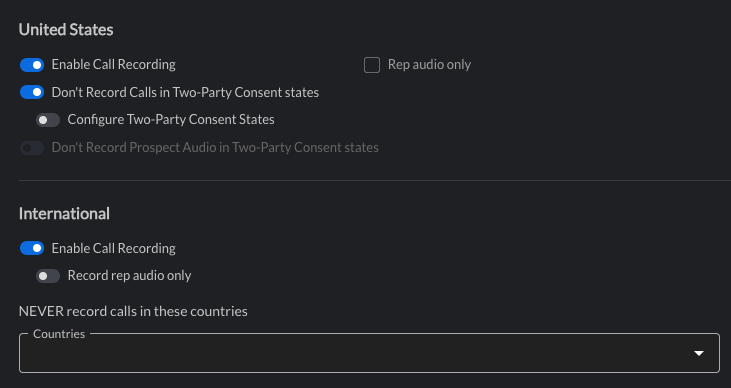
When toggled on, no call recordings are made if the Prospect number has an area code from a Two-Party Consent State. As a result, there are no live or post-call transcriptions.
Nooks has a recommended list preconfigured for US states which is updated periodically. Nooks Admins can either use this preconfigured list of Two-Party Consent States or configure them manually by toggling on "Configure Two-Party Consent States."
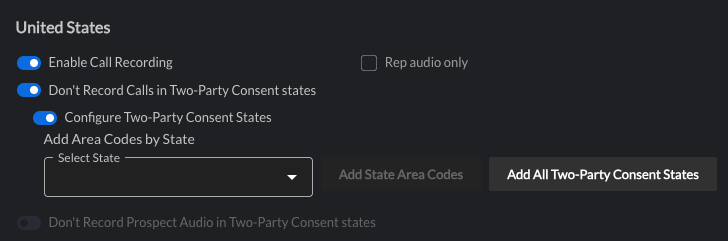
This further provides Nooks Admins with granular control over which Area Codes belonging to specific States they want to configure as a Two-Party Consent State.
Clicking on "Add All Two-Party Consent States" adds ALL area codes belonging to ALL Two-Party Consent States.
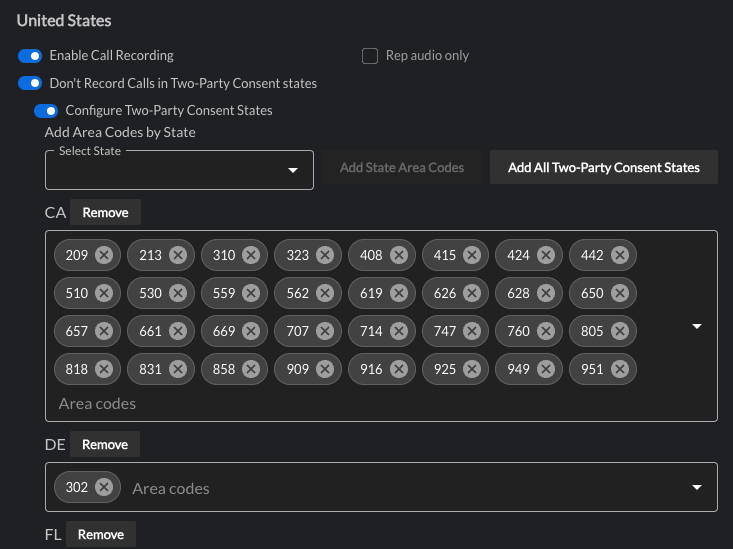
Here's is Nooks' preconfigured list of Two-Party Consent States.
Alabama
California
Connecticut
Florida
Illinois
Maryland
Massachusetts
Michigan
Montana
Nevada
New Hampshire
Pennsylvania
Washington
Hawaii
Delaware
Grouped with Two-Party Consent States due to a lack of legislature on recording consent.
VermontDon't Record Prospect Audio in Two-Party Consent states
Only the Rep will be recorded and transcribed if the Prospect number has an area code from a two-party consent state.
Disclaimer: While preconfigured US state call recording settings are informed by legal guidance, Nooks does not guarantee accuracy or warrant compliance with applicable recording laws as laws can change from time to time. Customers are responsible for understanding and complying with all federal, state, and local laws that apply to their use of recording features
International
Enable Call Recording
This setting will turn on the recording functionality for all calls without any location restrictions.
When toggled off, there will be no live transcription for reps or prospects, and there will be no transcript of the call.
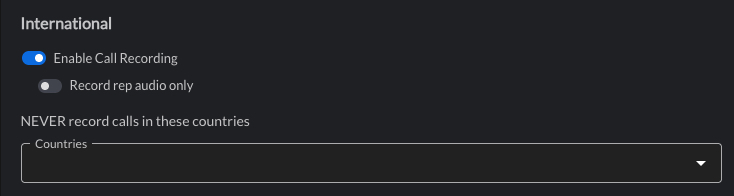
Record rep audio only
This setting only allows the Rep's audio to be recorded.
Toggling this setting on will have these implications:
AI Summaries will not generate.
Scorecards will not work out-of-the-box. (reach out to your CSM to discuss options)
Only the Rep's audio will be transcribed.
NEVER record calls in these countries
Nooks Admins can select multiple countries from this dropdown. No audio will be recorded for calls made to Prospects belonging to these countries.
Disclaimer: Customers are responsible for understanding and complying with non-US laws that apply to their use of recording features. No preset configurations are available due to changing recording laws.