Pulling in Custom Fields from HubSpot to Nooks
Last updated: September 24, 2026
You don't need HubSpot property IDs to pull custom fields into Nooks. You pick properties by name from a searchable list.
If your workspace uses Nooks Sequencing: go to Settings > CRM Settings > Contact Mappings (or Company Mappings) > Data Sync Mappings, click Add Custom Field Mapping, choose the HubSpot property, and save.
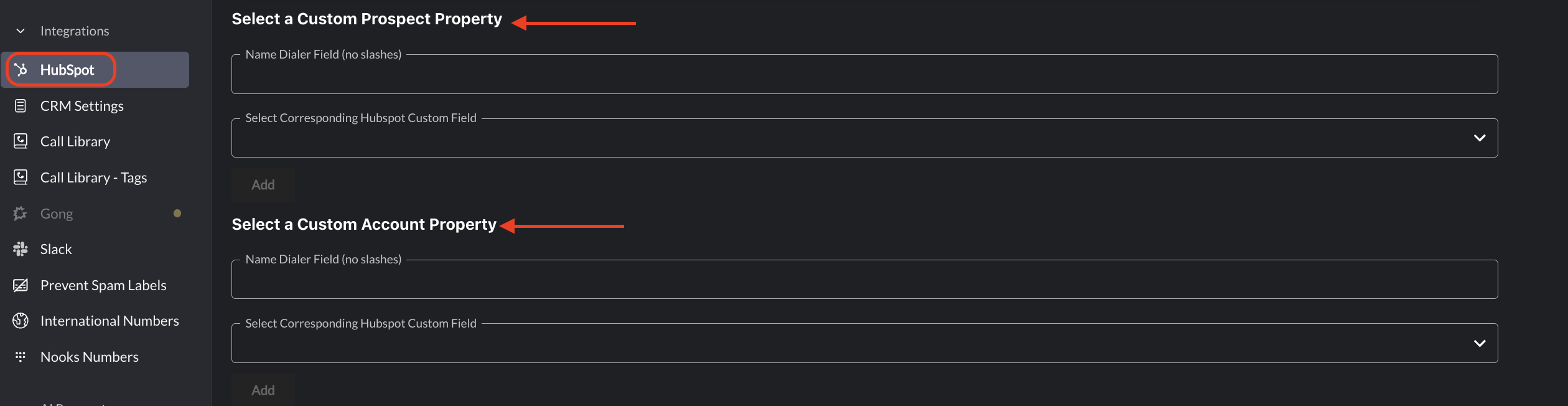
Otherwise: go to Settings > HubSpot > Custom Property Mappings. Under Select a Custom Prospect Property (or Select a Custom Account Property), enter a name in Name Dialer Field (no slashes), pick the property in Select Corresponding Hubspot Custom Field, and click Add. The field then appears in the dialer for your prospects or accounts.
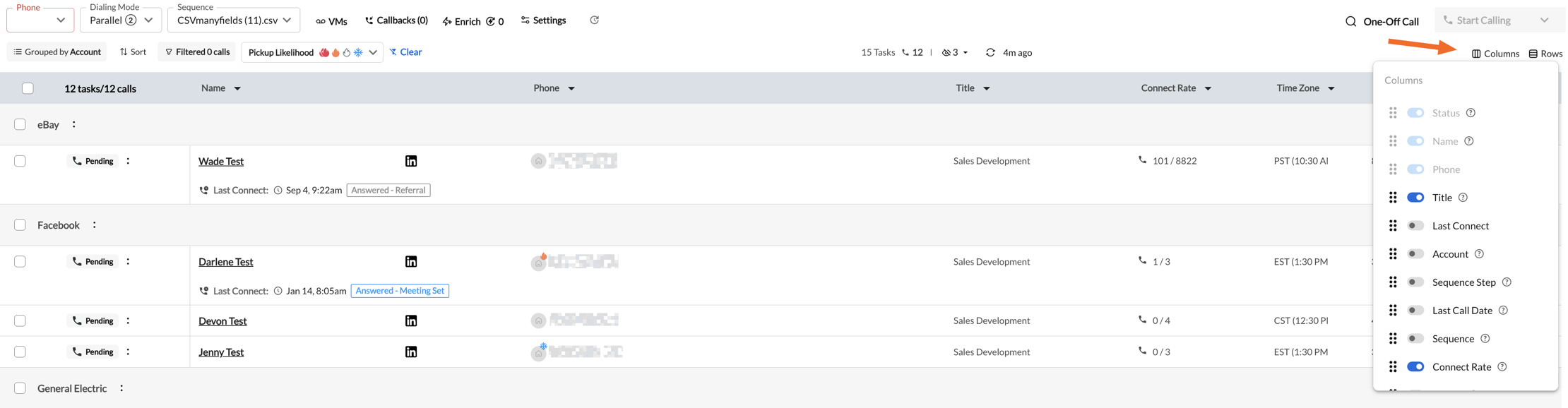
Once you've mapped each field in from HubSpot, you can see them in the table view as well as the individual Account or Prospect profile
You can rearrange and toggle how you would like to see these fields in your individual dialer view
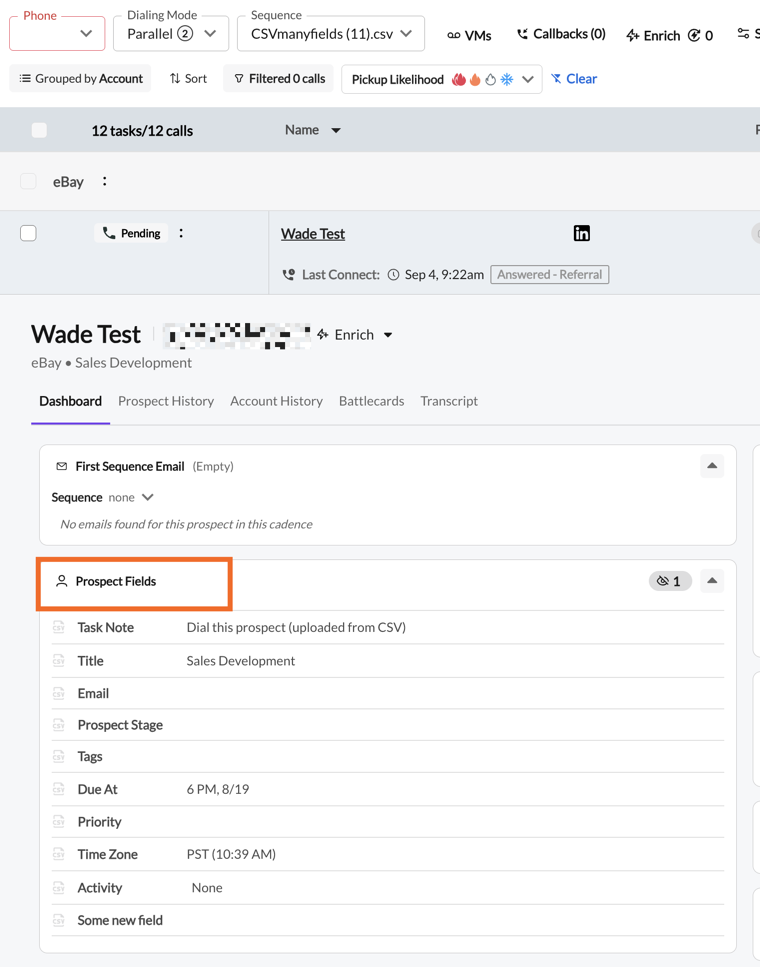
In the individual Prospect view from within Nooks, your custom fields will appear under Prospect Fields.