Leverage Custom Fields to Supercharge Note-taking in the Nooks Dialer
Last updated: April 29, 2026
Advantages of using Custom Fields -
Allow your team to take notes on calls within the Nooks dialer platform and sync them directly with your sales engagement platform.
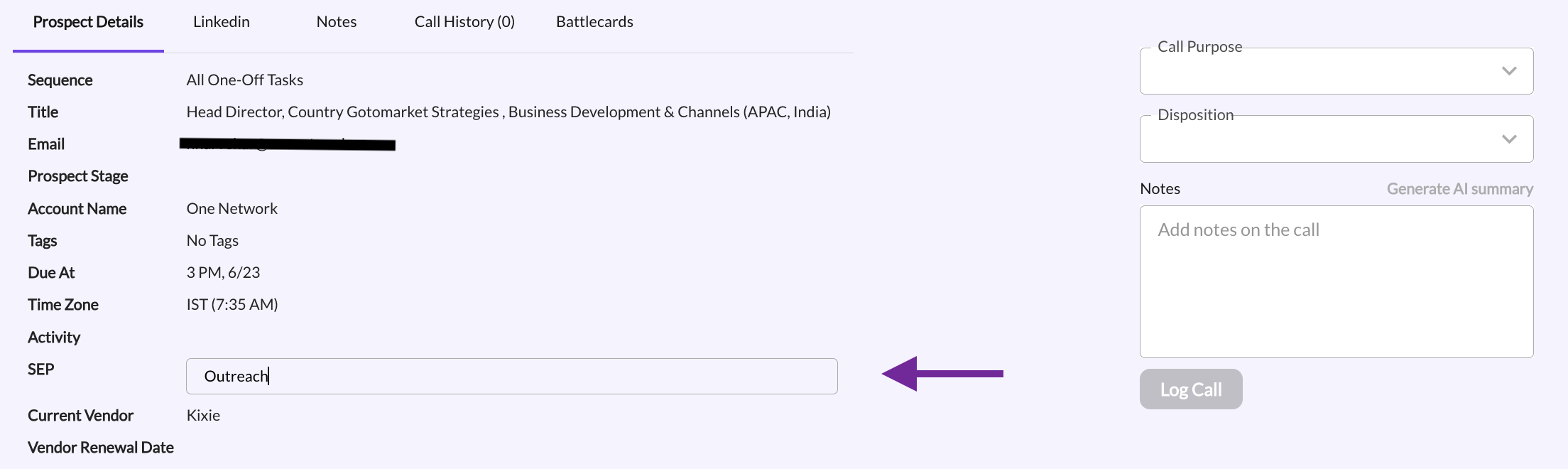
Once you have pulled your custom fields into the Nooks dialer via settings, you can leverage them on calls with your prospects.
Examples of custom fields we use here at Nooks -
Sales Tech Stack
Current Vendor
During our calls, as we uncover information about our prospects' tech stack and buying intent, we mark those notes within the corresponding custom fields within the dialer (these fields are editable when you click them)
Filter & Sort by custom fields in your table view
Prioritize your outreach based on the information you've collected from your prospects.
Personalize your calls by referencing notes from previous conversations.