Outreach Integration Technical Overview
Last updated: July 8, 2026
Overview
OAuth Connection
How the Integration Works
Data Permissions, Objects & Retention
OAuth Connection
Nooks uses OAuth to connect a Nooks account with an associated Outreach account. For each connection, the Nooks service receives an API key that is used to make calls to the Outreach API.
Each rep must connect their Nooks account to Outreach individually.
Steps to Connect Your Outreach Account to Nooks
After signing into Nooks, you can connect your Outreach account to Nooks through the following steps.
Click Settings at the bottom of the left-hand navigation menu.
In the pop-up menu that appears, click Integrations.
Select Connect Outreach.
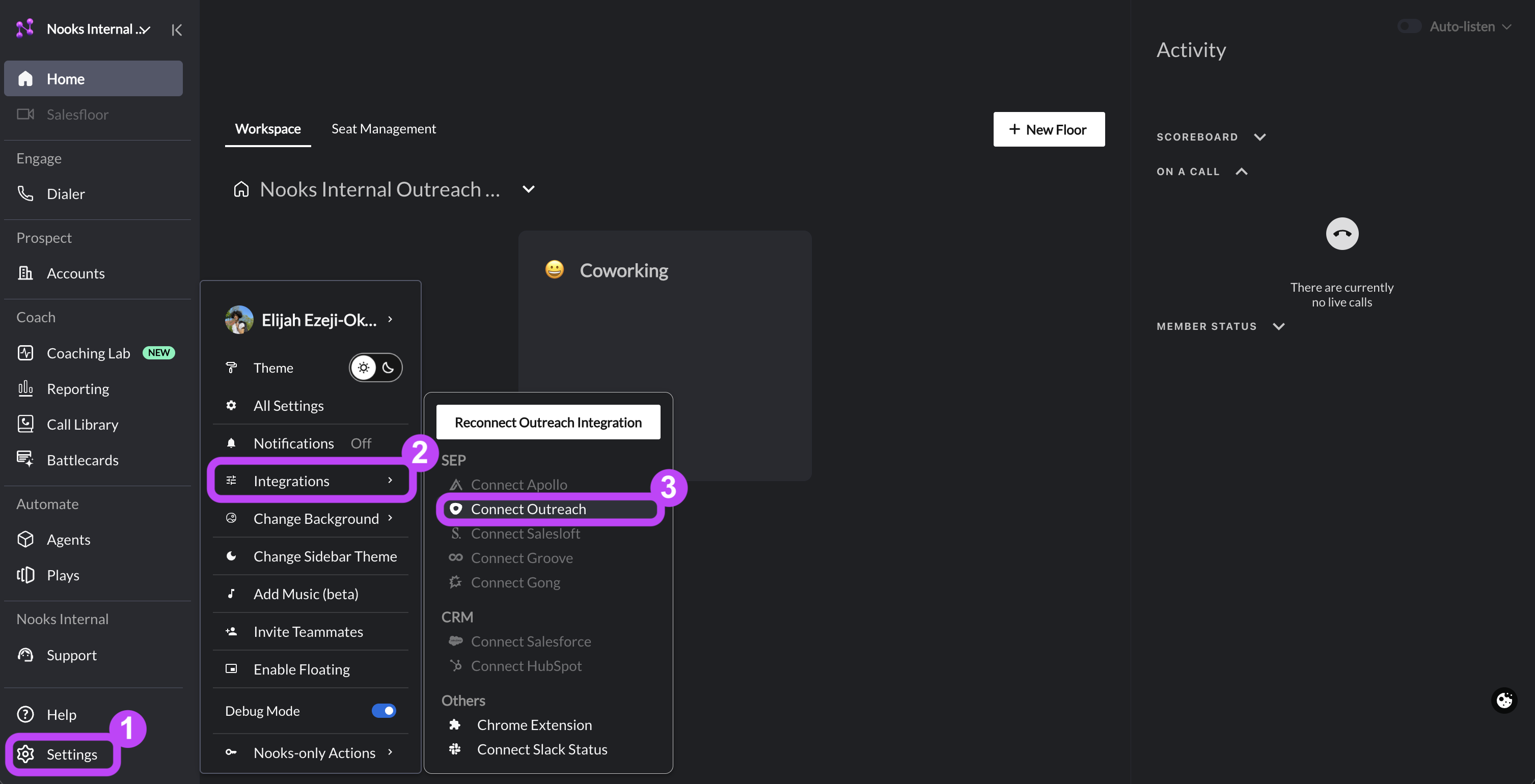
You'll be brought to Outreach in a new tab, where you can sign in with your Outreach account to authorize the sync. Once you've completed the Outreach sign-in flow, you should see a "success" message. Afterwards, you may close that tab and return to Nooks.
Scopes
Nooks uses the following scopes.
users.all
calls.all
accounts.all
webhooks.all
teams.all
prospects.all
mailboxes.all
phoneNumbers.all
callDispositions.all
events.all
tasks.all
mailings.all
sequences.all
sequenceTemplates.all
sequenceSteps.all
sequenceStates.all
Occasionally, API keys will expire and Nooks may prompt the user to re-connect.
For more details and documentation on the Outreach API: https://developers.outreach.io/api/
How the Integration Works
Just-in-time Access
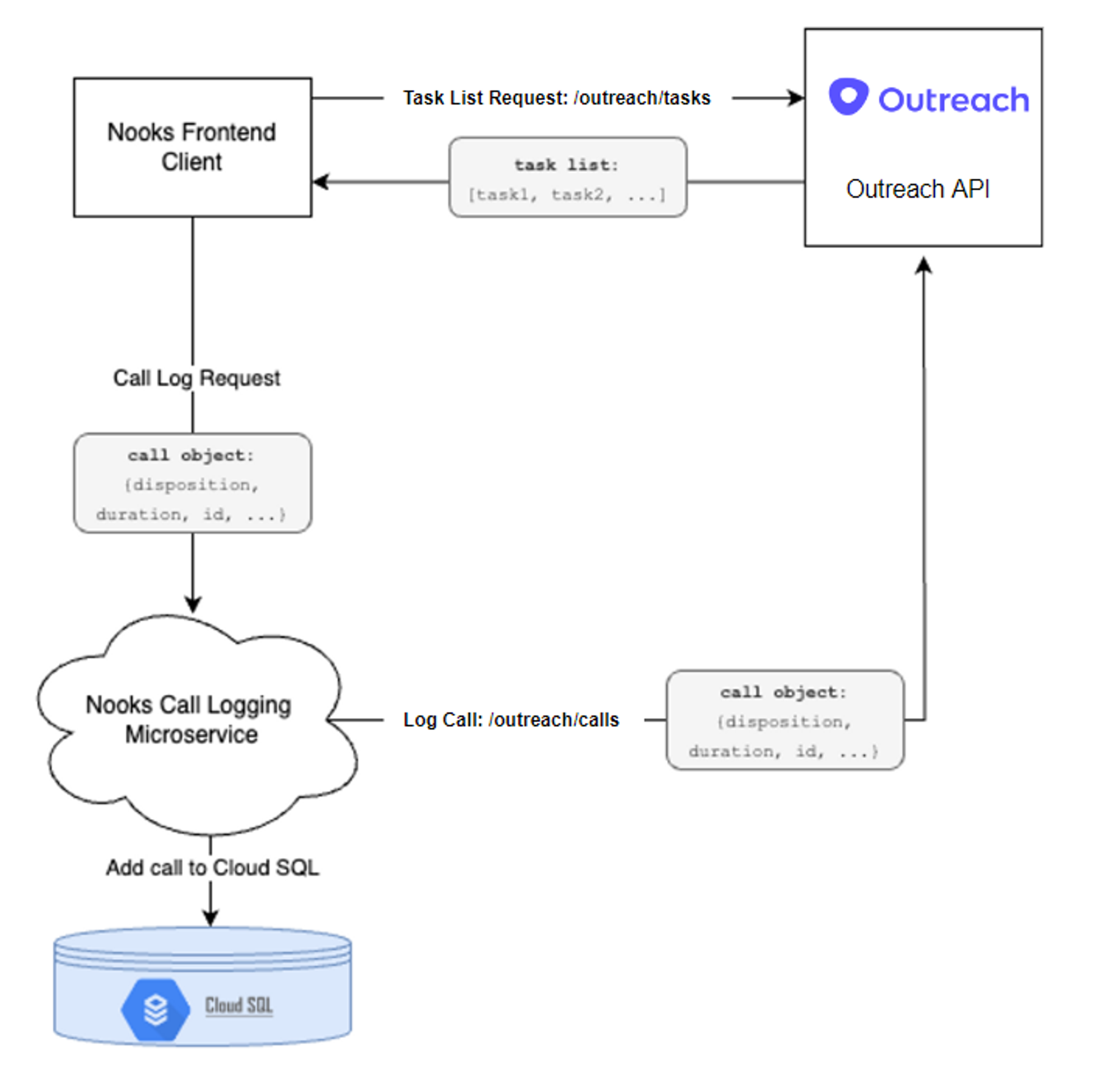
In order to ensure data is up-to-date from Outreach, Nooks adopts a “just-in-time” access model to Outreach data.
The below diagram shows how Nooks uses this access model to load tasks and log calls.
Data Objects & Retention
List of Outreach APIs / Objects
Nooks interacts with the following standard objects in Outreach. All data objects pulled from Nooks are designated with the “Restricted classification” and inherits access based on the according internal security model within Outreach.
Data Element | Description |
.prospect | Prospect details |
.account | Account details |
.sequence | Sequence names and ids |
.disposition | Dispositions |
.call | Call objects |
.task | Task ids |